EasyManua.ls Logo

Cirrus System 55X Autopilot - User Manual

Cirrus System 55X Autopilot
22 pages
Print Icon
To Next Page IconTo Next Page
Loading...
CIRRUS AIRPLANE MAINTENANCE MANUAL MODELS SR22 AND SR22T
22-11
Page 1
All
EFFECTIVITY:
SYSTEM 55X AUTOPILOT
1. DESCRIPTION
This section covers those systems and components which use inputs to the system to automatically con-
trol the flight path of the aircraft through adjustment to the pitch/roll axis or wing lift characteristics and pro-
vide visual cues for flight path guidance. This includes the System 55X Autopilot system.
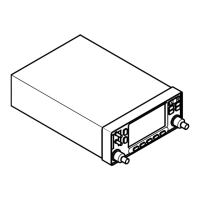
The S-TEC System 55X is a dual axis autopilot system that provides roll stability, heading hold, NAV/GPS
tracking, altitude hold, vertical speed selection, automatic glideslope capture, and automatic 45° intercept
to desired flight path capabilities controlled via the roll-trim cartridge and pitch servo. (See Figure 22-111)
The system components consist of a Flight Guidance Programmer/Computer, Altitude Selector/Alerter,
Altitude Transducer, Turn Coordinator, and HSI/PFD/GIA2. The operating controls for the autopilot are
located on the Flight Guidance Programmer/Computer.
Through panel mounted switches and the vertical speed knob, the Flight Guidance Programmer/Computer
serves the function of converting operator commands to logic signals for the roll and pitch computer func-
tions. The roll computer receives signal inputs from the Turn Coordinator and HSI/PFD/GIA2 to compute
roll commands for stabilization, turns, radio intercepts, heading and tracking. The pitch computer receives
signal inputs from the Altitude Transducer, accelerometer, glideslope deviations, and Altitude Selector/
Alerter.
Serials 22-0435 thru 22-1306 after SB 2X-22-03, 1307 & subs, 22T-0001 & subs with optional installation:
The Flight Director is a visual reference displayed on the Primary Flight Display (PFD) to simplify flight by
instrument navigation with or without the autopilot coupled. This feature requires System 55X Autopilot and
PFD. The Flight Director display consists of a wedged Reference Symbol, indicating airplane attitude, and
inverted-wedge Command Bars, indicating the recommended course attitude. To maintain selected course
while in manual flight mode, the pilot maneuvers the airplane so the top of the Reference Symbol fits into
the notch of the Command Bars.
The autopilot generates Flight Director Command Bars from modes selected on the Autopilot Computer,
including HDG (Heading), NAV (VOR, LOC, or GPS), GPSS (GPS Steering), ALT (Altitude Hold), GS
(Glideslope), and VS (Vertical Speed). The system consists of two lighted push buttons mounted on the
upper LH instrument panel for uncoupling and recoupling the autopilot, and wiring harnesses for System
55X Autopilot and PFD communication.
Serials w/ Avidyne Avionics: The S-TEC System 55X is powered by 28 VDC through the 5-amp AUTOPI-
LOT circuit breaker on the Essential Avionics Bus.
Serials w/ Perspective Avionics: The S-TEC System 55X is powered by 28 VDC through the 5-amp KEY-
PADS / AP CTRL circuit breaker on the Essential Avionics Bus.
For additional information on the autopilot system integration, see the S-TEC System 55X Autopilot Pilot’s
Operating Handbook. (Refer to 05-10)
15 Jun 2010

Questions and Answers

  • C
    Catherine PadillaAug 20, 2025
    How to fix 'Data failed' message on Cirrus System 55X Autopilot unit?
    • L
      lisa74Aug 20, 2025
      If your Cirrus Aircraft's unit fails to power up and displays a 'Data failed' message, first, ensure the power is correctly wired to the GTS 8XX and the circuit breaker is closed. If the issue persists, use the USB Install Tool to verify that the GTS 8XX is configured correctly for the desired display.
  • K
    Kristin HendrixAug 22, 2025
    What to do if there are no audio alerts in Cirrus System 55X Autopilot Aircrafts?
    • A
      Anthony BowersAug 22, 2025
      If you are not getting any audio alerts from your Cirrus Aircrafts, make sure the audio is properly wired from the GTS 8XX and the volume isn't set too low.
  • S
    santosstacieAug 25, 2025
    How to resolve a red 'X' on a data port in Cirrus System 55X Autopilot Aircrafts?
    • P
      Penny RileyAug 25, 2025
      If you see a red 'X' on a data port on the configuration page of your Cirrus Aircrafts, ensure the port is correctly wired to the GTS 8XX and that the correct settings are selected on the configuration page.
  • M
    Molly BrownAug 26, 2025
    What to do for Baro Altitude Fault in Cirrus Aircrafts?
    • C
      cindy84Aug 27, 2025
      If your Cirrus Aircrafts is experiencing a Baro Altitude Fault, first verify that the baro altimeter has power and is properly wired. Then, verify the configuration is set correctly using the GTS 8XX Install Tool.
  • G
    Gregory Walker DVMAug 28, 2025
    How to fix Temperature Fault in Cirrus Aircrafts?
    • J
      Jason HunterAug 28, 2025
      If your Cirrus Aircrafts has a Temperature Fault, check that the fan is running and that the unit is getting adequate ventilation.
  • S
    Sally ReyesAug 30, 2025
    What to do if Receiver Fault appears in Cirrus Aircrafts?
    • S
      Stacey OliverAug 30, 2025
      If your Cirrus Aircrafts has a Receiver Fault, ensure all antenna connections are correct; otherwise, return it to Garmin for service.
  • D
    David WeaverSep 1, 2025
    How to resolve Transmitter Fault in Cirrus Aircrafts?
    • C
      Christopher PenaSep 1, 2025
      If your Cirrus Aircrafts has a Transmitter Fault, ensure all antenna connections are correct; otherwise, return it to Garmin for service.
  • S
    Shawn SmithSep 3, 2025
    How to troubleshoot video image not displayed on Cirrus System 55X Autopilot Aircrafts?
    • W
      williamdeanSep 3, 2025
      If the video image is not displayed on your Cirrus Aircrafts, first, check if the software is correctly configured by performing Adjustment/Test - Perspective Integrated Avionics System Software Setup and selecting the EVS option. If the camera doesn’t power on, verify the security of connectors and wire harness. Also, verify the security of connectors and wire harness to ensure the display is receiving image information.
  • B
    Brian RobinsonSep 5, 2025
    What to do if the display has an X and bars on Cirrus Aircrafts?
    • A
      Amy MorrisSep 5, 2025
      If the display is visible but has an X and some bars through the image on your Cirrus Aircrafts, verify that the anti-tamper device is connected to the proper pin. Also, check the wiring connecting the anti-tamper device.
  • P
    Pamela RyanSep 7, 2025
    What to do if image is degraded on Cirrus Aircrafts?
    • G
      georgeyoungSep 7, 2025
      If the image is degraded or displayed as solid black or white on your Cirrus Aircrafts, adjust the brightness and contrast settings after initial power-up to get the best image.

Cirrus System 55X Autopilot Specifications

General IconGeneral
BrandCirrus
ModelSystem 55X Autopilot
CategoryAircrafts
LanguageEnglish

Related product manuals