CIRRUS AIRPLANE MAINTENANCE MANUAL MODELS SR22 AND SR22T
22-11
Page 1
All
EFFECTIVITY:
SYSTEM 55X AUTOPILOT
1. DESCRIPTION
This section covers those systems and components which use inputs to the system to automatically con-
trol the flight path of the aircraft through adjustment to the pitch/roll axis or wing lift characteristics and pro-
vide visual cues for flight path guidance. This includes the System 55X Autopilot system.
The S-TEC System 55X is a dual axis autopilot system that provides roll stability, heading hold, NAV/GPS
tracking, altitude hold, vertical speed selection, automatic glideslope capture, and automatic 45° intercept
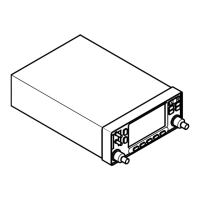
to desired flight path capabilities controlled via the roll-trim cartridge and pitch servo. (See Figure 22-111)
The system components consist of a Flight Guidance Programmer/Computer, Altitude Selector/Alerter,
Altitude Transducer, Turn Coordinator, and HSI/PFD/GIA2. The operating controls for the autopilot are
located on the Flight Guidance Programmer/Computer.
Through panel mounted switches and the vertical speed knob, the Flight Guidance Programmer/Computer
serves the function of converting operator commands to logic signals for the roll and pitch computer func-
tions. The roll computer receives signal inputs from the Turn Coordinator and HSI/PFD/GIA2 to compute
roll commands for stabilization, turns, radio intercepts, heading and tracking. The pitch computer receives
signal inputs from the Altitude Transducer, accelerometer, glideslope deviations, and Altitude Selector/
Alerter.
Serials 22-0435 thru 22-1306 after SB 2X-22-03, 1307 & subs, 22T-0001 & subs with optional installation:
The Flight Director is a visual reference displayed on the Primary Flight Display (PFD) to simplify flight by
instrument navigation with or without the autopilot coupled. This feature requires System 55X Autopilot and
PFD. The Flight Director display consists of a wedged Reference Symbol, indicating airplane attitude, and
inverted-wedge Command Bars, indicating the recommended course attitude. To maintain selected course
while in manual flight mode, the pilot maneuvers the airplane so the top of the Reference Symbol fits into
the notch of the Command Bars.
The autopilot generates Flight Director Command Bars from modes selected on the Autopilot Computer,
including HDG (Heading), NAV (VOR, LOC, or GPS), GPSS (GPS Steering), ALT (Altitude Hold), GS
(Glideslope), and VS (Vertical Speed). The system consists of two lighted push buttons mounted on the
upper LH instrument panel for uncoupling and recoupling the autopilot, and wiring harnesses for System
55X Autopilot and PFD communication.
Serials w/ Avidyne Avionics: The S-TEC System 55X is powered by 28 VDC through the 5-amp AUTOPI-
LOT circuit breaker on the Essential Avionics Bus.
Serials w/ Perspective Avionics: The S-TEC System 55X is powered by 28 VDC through the 5-amp KEY-
PADS / AP CTRL circuit breaker on the Essential Avionics Bus.
For additional information on the autopilot system integration, see the S-TEC System 55X Autopilot Pilot’s
Operating Handbook. (Refer to 05-10)
15 Jun 2010


 To Next Page
 General