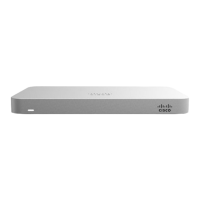
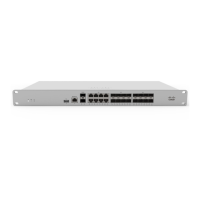
Mounting Hardware
The mounting hardware includes four sets of standard slot-head rack screws and nuts. The additional screws and nuts
are for use with optional rear brackets if rear support is required. When installing the appliance, make sure that there is
sufficient space between the rear of the rack and other obstacles to ensure adequate airflow.
Safety Guidelines
Warning: The system must be disconnected from all sources of power and the power cord removed from
the power supply module(s) before accessing the to install or remove system components.
Caution: The Optical Transceiver product should use UL listed, and Rated Laser Class I, 3.3Vdc.
Connecting to WAN
All Meraki MX devices must have an IP address. This section describes how to configure your local area network before
you deploy it. A local management web service, running on the appliance, is accessed through a browser running on a
client PC. This web service is used for configuring and monitoring basic ISP/WAN connectivity.
Setting up a Static IP Address
Do the following to configure basic connectivity and other networking parameters:
1. Using a client machine such as a laptop, connect to the management port of the MX.
2. Using a browser on the client machine, access the appliance's built-in web service by browsing
to http://setup.meraki.com. (You do not have to be connected to the Internet to reach this address)
3. Click Uplink configuration under the Local status tab. The default credentials use the device serial number as
the username, with a blank password field.
To ensure that the client PC is redirected to the local web service in the following step, you must disable all
other network services (ex: wi-fi) on your client machine.
3


 To Next Page