EasyManua.ls Logo

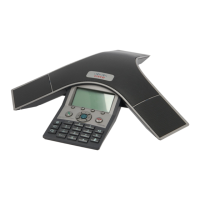
Cisco 7937G - User Manual

Cisco 7937G
70 pages
Print Icon
To Next Page IconTo Next Page
Loading...
Americas Headquarters
Cisco Systems, Inc.
170 West Tasman Drive
San Jose, CA 95134-1706
USA
http://www.cisco.com
Tel: 408 526-4000
800 553-NETS (6387)
Fax: 408 527-0883
Cisco Unified IP Conference Station
7937G Phone Guide for Cisco Unified
Communications Manager 6.0
INCLUDING LICENSE AND WARRANTY

Table of Contents

Other manuals for Cisco 7937G

Questions and Answers

  • B
    Bryan BrooksAug 10, 2025
    Why Cisco Conference System softkey does not appear?
    • T
      Tristan BurtonAug 11, 2025
      A softkey might not appear on your Cisco Conference System because you need to change the line state (e.g., go off-hook or have a connected call). Also, additional softkeys may be revealed by pressing 'more'. It's also possible that the conference station isn't configured to support the feature associated with that softkey.
  • T
    Timothy BennettAug 20, 2025
    Why Cisco CallBack fails?
    • J
      Jennifer MooreAug 20, 2025
      Cisco CallBack might fail because the other party has call forwarding enabled.
  • R
    Robert LoveAug 29, 2025
    How to fix Cisco Conference System when you cannot hear a dial tone or complete a call?
    • S
      Sharon HutchinsonAug 30, 2025
      If you cannot hear a dial tone or complete a call on your Cisco Conference System, ensure you are logged into the Cisco Extension Mobility Service. Also, the conference station may have time-of-day restrictions that prevent using some features during certain hours.

Cisco 7937G Specifications

General IconGeneral
BrandCisco
Model7937G
CategoryConference System
LanguageEnglish

Related product manuals