
EasyManua.ls Logo

Cisco Catalyst 250 Series - User Manual

Cisco Catalyst 250 Series
26 pages
Print Icon
To Next Page IconTo Next Page
Loading...
bztech.com.br
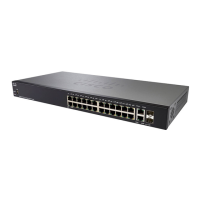
Switch Cisco 250 Series
Com os switches inteligentes Cisco 250 Series, você pode obter segurança
e desempenho de rede de classe empresarial sem pagar por recursos de
rede avançados que não usará.

Questions and Answers

  • B
    Brett NorrisAug 11, 2025
    What to do if Express Setup does not run on Cisco Catalyst 250?
    • W
      Wendy FischerAug 12, 2025
      If Express Setup doesn't run or the Express Setup page doesn't appear in your browser with a Cisco Switch, there are several potential solutions: * Power cycle the switch. * Ensure all LEDs above the Mode button are green (RPS LED should be off). If needed, press the Mode button to enter Express Setup mode. * Adjust your PC settings to temporarily use DHCP. * Use a straight-through cable to connect the switch's Ethernet port to the PC. * Disconnect any cable from the console port before connecting the Ethernet cable. * Wait 30 seconds, then re-enter 10.0.0.1 in the browser and press Enter. * Try re-entering 10.0.0.1 in the browser and pressing Enter again. If the switch fails POST (indicated by fatal POST errors), contact your Cisco technical support representative.
  • K
    klamNov 23, 2025
    Why Express Setup does not run on my Cisco Catalyst 250?
    • A
      Ashley GoldenNov 23, 2025
      The Express Setup might not run on your Cisco Switch due to several reasons: - POST did not run successfully before starting Express Setup. Ensure only the SYST and STAT LEDs are green before pressing the Mode button. - The Mode button was pressed while the switch was still running POST. Wait until POST completes, power cycle the switch, and confirm the SYST and STAT LEDs are green before pressing the Mode button again. - You tried to continue without confirming the switch was in Express Setup mode. Verify all LEDs above the Mode button are green, and if necessary, press the Mode button. - The PC has a static IP address. Change your PC settings to temporarily use DHCP. - A crossover cable was connected instead of a straight-through Ethernet cable. Connect a straight-through cable between...

Cisco Catalyst 250 Series Specifications

General IconGeneral
BrandCisco
ModelCatalyst 250 Series
CategorySwitch
LanguageEnglish

Related product manuals








