• The contact points of the ground connection must be clean and free of dust and moisture.
• Tighten threaded contacts to the torque specified by the manufacturer.
Lightning Arrestor Installation Notes
This lightning arrestor is designed to be installed between the antenna cable that is attached to an outdoor
antenna and the Cisco wireless device. You can install the lightning arrestor either indoors or outdoors. It can
be connected directly to a wireless device having an external N connector. It can also be mounted inline or
as a feed-through. Feed-through installations require 5/8 in. (16 mm) hole to accommodate the lightning
arrestor.
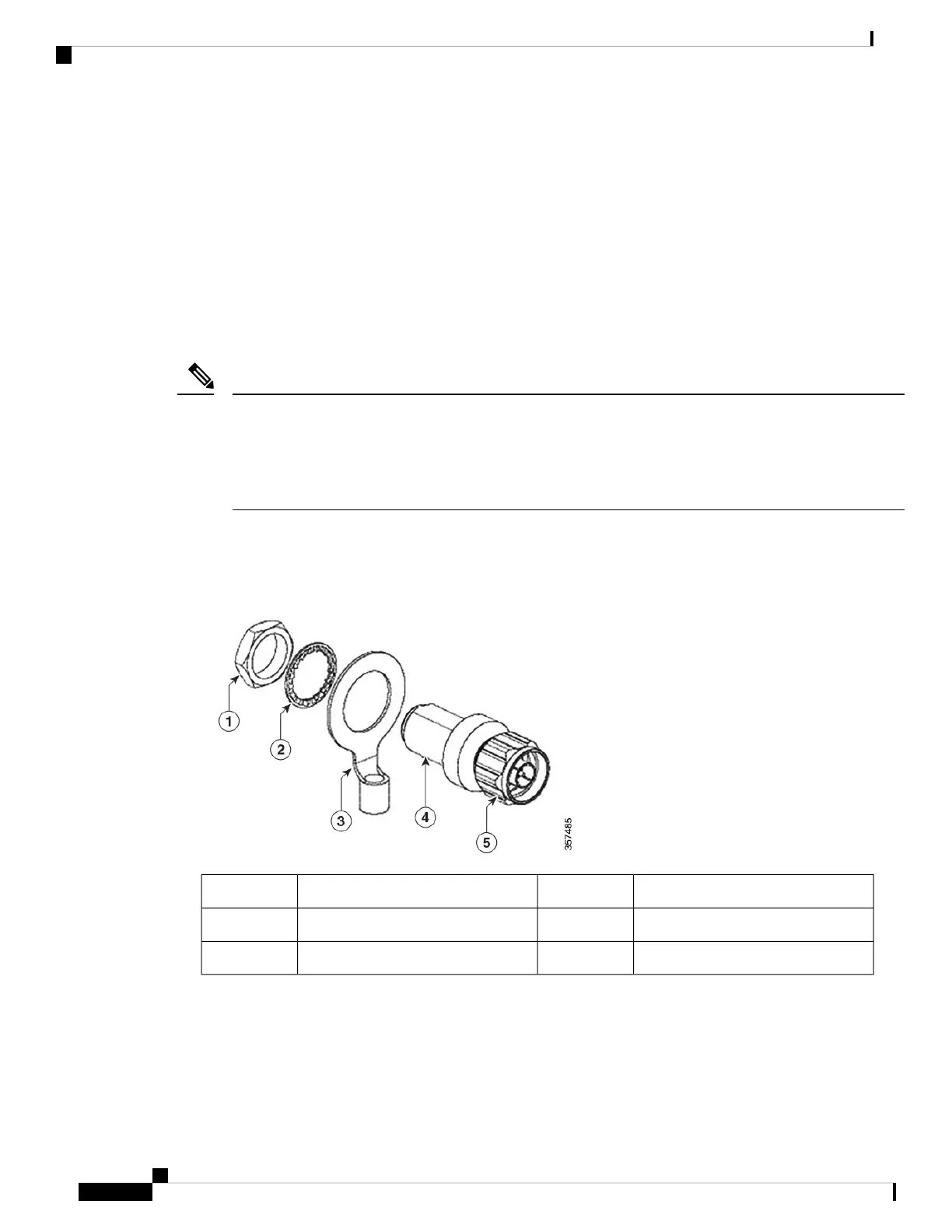
• This lightning arrestor is part of a lightning arrestor kit. The kit contains a lightning arrestor and a
grounding lug.
• When you install the lightning arrestor, follow the regulations or best practices applicable to lightning
protection installation in your local area.
Note
Installing the Lightning Arrestor Outdoors
If you install the lightning arrestor outdoors, use the supplied ground lug and a heavy wire (#6 solid copper)
to connect it to a good earth ground, such as a ground rod. The connection should be as short as possible.
Unprotected Side (to antenna)4Nut1
Protected side (to wireless device)5Lockwasher2
Ground lug3
Cable for the Lightning Arrestor
Coaxial cable loses efficiency as the frequency increases, resulting in signal loss. The cable should be kept
as short as possible because cable length also determines the amount of signal loss (the longer the run, the
greater the loss).
Installation Overview
16
Installation Overview
Lightning Arrestor Installation Notes







 To Next Page