20 21
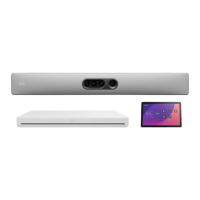
Cisco Codec EQ
A. Antenna connector
Connecteur d'antenne / Conector de antena / Conector de antena / Connettore per antenne / Antennenanschluss / アンテナ
コネクタ
B. Kensington security slot
Encoche de sécurité Kensington / Conector de seguridad Kensington / Kensington Security Slot /
Kensington Security Slot / Kensington-Schloss / Kensington セ キュリティ ス ロット
C. Power
Marche/Arrêt / Encendido/apagado / Ligar/Desligar / On/Off / Ein-/Aus-Schalter / 電源
D. 3 × Network (Ethernet PoE)
Réseau (Ethernet PoE) / Red (Ethernet PoE) / Rede (Ethernet PoE) / Rete (Ethernet PoE) / Netzwerk (Ethernet PoE) /
3 × ネットワ ー ク(イー サ ネット PoE)
E. Touch panel (user interface, Ethernet PoE)
Écran tactile (interface utilisateur, Ethernet PoE) / Panel táctil (interfaz del usuario, Ethernet PoE) / Painel tátil (interface de
utilizador, Ethernet PoE) / Pannello touch (interfaccia utente, Ethernet PoE) / Bedienfeld (Benutzeroberfläche, Ethernet PoE) /
タッチ パ ネ ル( ユ ー ザ イ ン タ ー フ ェ イ ス 、イ ー サ ネ ッ ト PoE)
F. Network (Ethernet)
Réseau (Ethernet) / Red (Ethernet) / Rede (Ethernet) / Rete (Ethernet) / Netzwerk (Ethernet) / ネットワ ー ク(イー サ ネット)
G. 3 × HDMI outputs with audio and video, 4Kp60
Sorties HDMI avec audio et vidéo / Salidas HDMI con audio y vídeo / Saídas HDMI com áudio e vídeo / Uscita HDMI con audio e
video / HDMI-Ausgang mit Audio und Video / 3 × HDMI 出 力( オ ー デ ィ オ と ビ デ オ )、4Kp60
H. 3 × HDMI inputs with audio and video, 4Kp30
Entrées HDMI avec audio et vidéo / Entradas HDMI con audio y vídeo / Entradas HDMI com áudio e vídeo / Ingresso HDMI con
audio e video / HDMI-Eingang mit Audio und Video / 3 × HDMI 入 力( オ ー デ ィ オ と ビ デ オ )、4Kp30
I. USB 3.0, type C
USB3.0, typeC/ USB 3.0, tipo C / USB 3.0, tipo C / USB 3.0, tipo C / USB 3.0, Typ C / USB 3.0、タ イ プ C
J. 4 × USB 3.0, type A
USB3.0, typeA / USB 3.0, tipo A / USB 3.0, tipo A / USB 3.0, tipo A / USB 3.0, Typ A / 4 × USB 3.0、タ イ プ A
K. Factory reset
Rétablissement des paramètres d’usine / Restablecimiento de los parámetros de fábrica / Reposição de predefinições de
fábrica / Ripristino dei valori predefiniti / Zurücksetzen auf Werkseinstellungen / 初 期 設 定 へ のリセット
L. Maintenance (micro USB)
Maintenance (micro USB) / Mantenimiento (micro USB) / Manutenção (micro USB) / Manutenzione (micro USB) / Wartung
(Mikro-USB) / メ ン テ ナ ン ス( マ イ ク ロ USB)
M. 3 × Microphone inputs
Entrées de microphone / Entradas para micrófonos / Entradas de microfone / Ingressi microfono / Mikrofoneingänge /
3 × マイク入 力
N. Audio line output
Sortie de ligne audio / Salida de audio / Saída de áudio / Uscita di linea audio / Audioausgang / 音 声ライン出 力
A A A B
C D E F G H I J K L M N
3
1
2 3
1
2
Information for US and Canada, radio version: To view the FCC and ISED regulatory IDs, open the
Control Panel on the Room Navigator, then go to Device settings > Regulatory information.
Informations pour les États-Unis et le Canada, version radio: Pour afficher les ID réglementaires FCC
et ISED, ouvrez le Panneau de configuration sur le Room Navigator, puis accédez à Paramètres du
périphérique > Réglementations.
米国およびカナダの無線バージョンに関する情報:FCC および ISED 規制 ID を表示するには、
Room Navigator で [コントロールパネル] を開き、[
デバイス設定
] > [
規制情報
] に移 動します。


 To Next Page
 Loading...