Quick Start Guide
Cisco Small Business
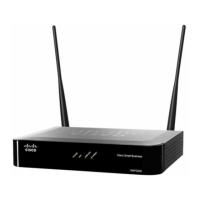
WAP2000 Wireless-G Access Point with Power
Over Ethernet
Package Contents
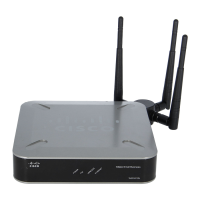
• Wireless-G Access Point with Power Over Ethernet
• Detachable Dipole Antennas (2)
• Power Adapter
• Ethernet Cable
• CD-ROM
• Quick Start Guide
Welcome
Thank you for choosing the WAP2000 Wireless-G Access Point with Power
Over Ethernet. The access point features RangeBooster technology that is
compatible with standard 802.11g but with a range up to two times further and
throughput up to 35 percent faster. Unlike ordinary wireless technologies that
are hampered by wireless signals that reflect off walls, ceilings, and other
objects, RangeBooster uses these multiple signals with two smart receivers at
each end (router or access point and client adapter) to boost range and
throughput speeds. As a result, a RangeBooster solution reduces or eliminates
wireless signal dead spots in offices and other buildings so users can connect
to the network in more areas.
This guide describes how to physically install your WAP2000 and how to set
up a basic configuration by using the configuration utility.
Before You Begin
Before you begin the installation, make sure that you have the following
equipment and services:
• Tools for installing the hardware
• Category 5e Ethernet cable
• PC with Microsoft Internet Explorer (6.0 or later) or Mozilla Firefox for using
the web-based system management tools
• A Cisco Small Business Power over Ethernet (PoE) switch or a switch and a
802.3af compliant power injector
• (
Recommended
) Uninterruptible Power Supply (UPS) to provide backup
power to essential devices
Getting to Know the WAP2000
This section describes the external features of the WAP2000.
Front Panel
POWER—(Green) Lights up when the access point is powered on.
PoE—(Green) Lights up when the access point is powered through an
Ethernet cable.
WIRELESS—(Green) Lights up when the wireless module is active on the
access point. The LED flashes when the access point is actively sending or
receiving data from a wireless device.
Ethernet—(Green) Lights up when the access point successfully connects to
a device through the Ethernet network port. This LED flashes when the access
point is actively sending to or receiving data from one of the devices over the
Ethernet network port.
Back Panel
Antenna Ports—The access point has two antenna ports for connecting
detachable 3 dBi omnidirectional antennas. Adjust the two antennas so that
they form a 90 degree angle for best MIMO range performance.
RESET Button—There are two ways to reset the access point to the factory
default configuration. Either press the Reset button for more than ten seconds
or restore the defaults using the web-based utility of the access point. If you
press the Reset button for less than ten seconds, the access point will simply
reboot.
ETHERNET Port—Connects to Ethernet network devices, such as a switch or
router. The access point can be powered using Power over Ethernet.
POWER Port—Connects the access point to power using the supplied power
adapter. Use this option if your switch or router doesn’t support Power over
Ethernet.
Side Panel
Security Slots—The security slots can be utilized to attach a lock to the
access point.
Installing the WAP2000
You can place your WAP2000 on a desktop or mount it on a wall.
Placement Tips
•Ambient Temperature—To prevent the WAP2000 from overheating, do not
operate it in an area that exceeds an ambient temperature of 131°F (55°C).
•Air Flow—Be sure that there is adequate air flow around the WAP2000.
• Mechanical Loading—Be sure that the WAP2000 is level and stable to
avoid any hazardous conditions.
• Power Outlet—Choose a location that is within reach of a power outlet.
Wall Mounting
The WAP2000 can be mounted either vertically or horizontally.
STEP 1 Determine where you want to mount the access point and install two
screws (not supplied) into the wall for either vertical or horizontal
placement.
For horizontal placement, orient the access point as shown:
For vertical placement, orient the access point as shown:
276237
Wall
mount
slots
5-7/8˝
276238
Wall
mount
slots
4-1/4˝

 Need help?
 General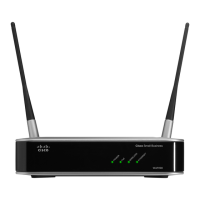



 To Next Page
