26 27
(Example)
You want to make the watch chime sound at 7:32.
1) Hour sound: One high-pitched chime sounds each seconds for each hour
(7 times=7 o'clock).
2) Quarter sound: One high and one low-pitched chime sounds each second
(1/4HR
M
2=30 minutes).
3) Minute sound: One low-pitched chime sounds each second (2 times=
2 minutes).
By playing the above sound, you know the time is now 7:32.
* Press the any button while the chime is playing to stop the sound.
NOTE:
• The chime sound cannot be activated while the calendar is being displayed.
• The time is not set properly if the time display and chime sound are not
synchronized.
See "4. SETTING THE TIME".
2. Calendar display
The calendar feature displays the date and day of the week.
It is also possible to display the month and leap year calendar indications by using
the watch's (B) button.
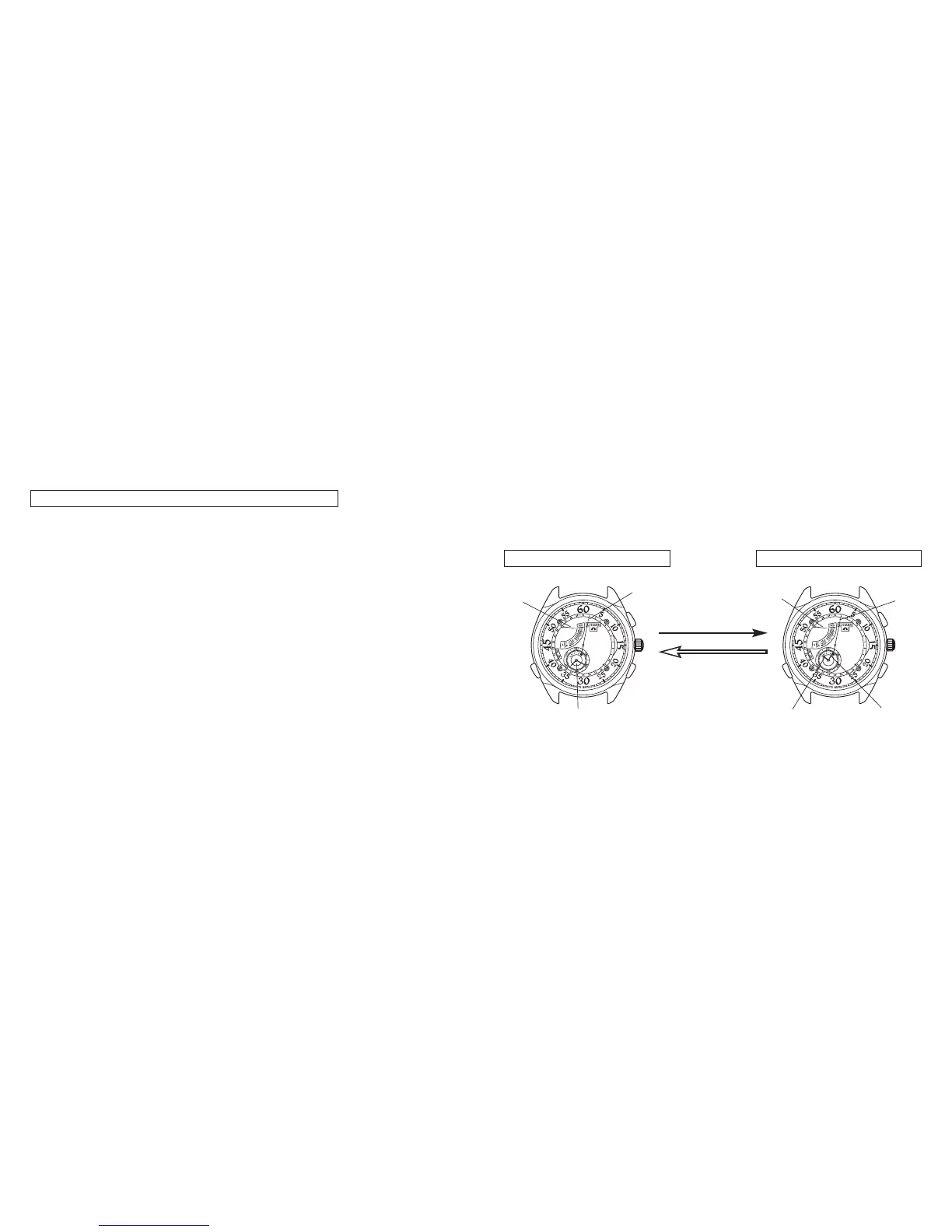
Normal display
<Tuesday, 1> <Tuesday, January 1, leap year>
Calendar display
Day
Day
Date
Press and hold down
the (B) button for more
than 2 seconds.
Press any button to
manually return to
the normal display.
Date
Local time hour, minute
Leap year (hour)
Month (minute)
Button
(B)


 To Next Page