36 37
10. LOCAL TIME (L-TM)
Setting Local Time
• Settings can be made in 30-minute increments.
• Local time hour, minute hands and AM/PM hand are synchronized.
• Press the (B) button once to advance in 30-minute increments. Press and hold
down the (B) button to use quick-advance feature.
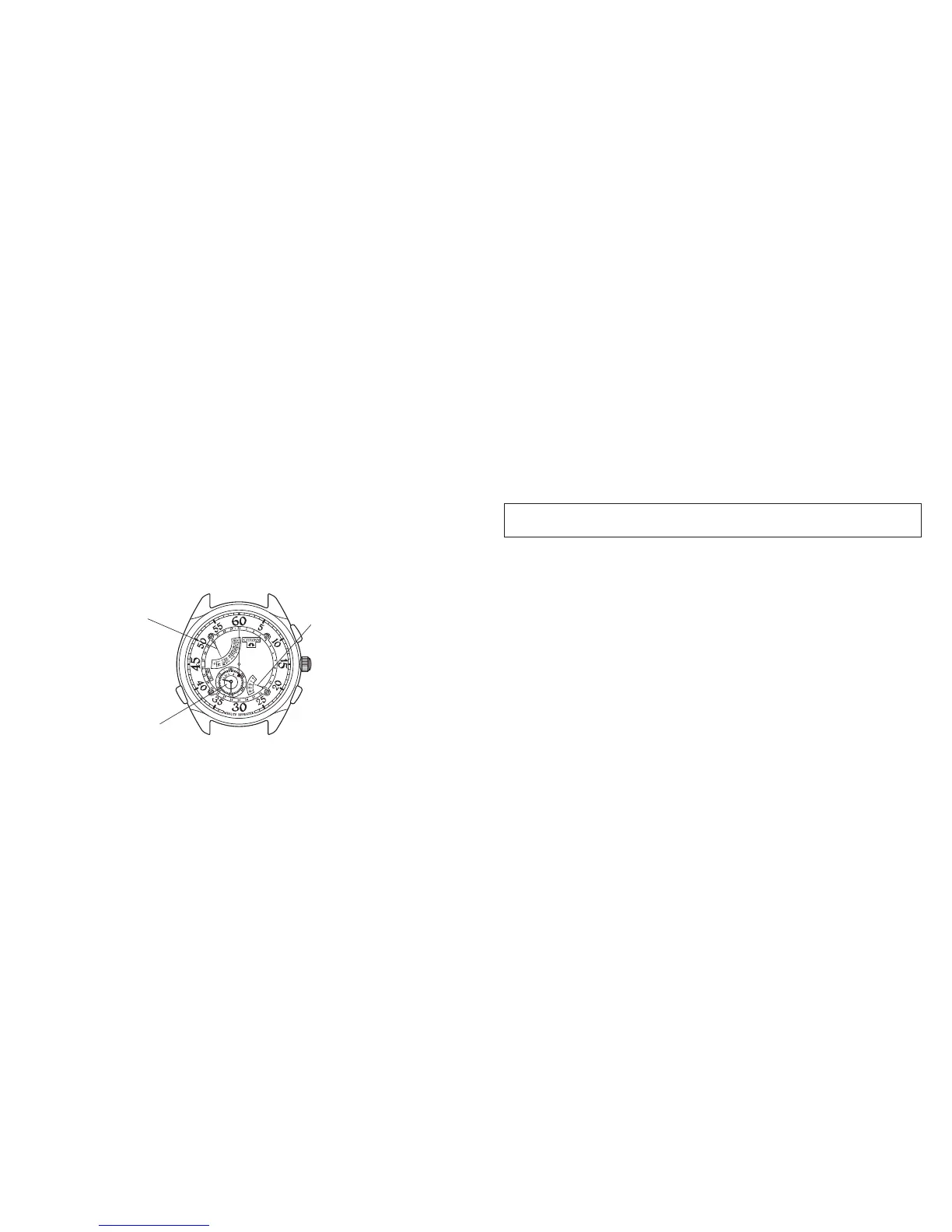
Button (C)
To L-TM mode
Local time (9:30 AM)
AM/PM
Button (B)
Local time set
Mode
• Crown in the normal position
(Example)
You want to synchronize the current time in Tokyo (5:30 PM)
with the local (current) time in Paris (9:30 AM).
(1) Press the (C) button to move the mode hand to the L-TM position. At the same
time, the date hand moves to the 31st (12:00 PM) position.
(2) Press the (B) button to set the local time to 9:30 AM. Always confirm the
AM/PM hand to ensure the proper setting is made.
NOTE:
When the local time is set between 12:00-12:30 AM the local time hands sweep
forward and back in a 30 minute arc and stop at the set time. This is normal and
does not indicate faulty movement.


 To Next Page