18 19
UU
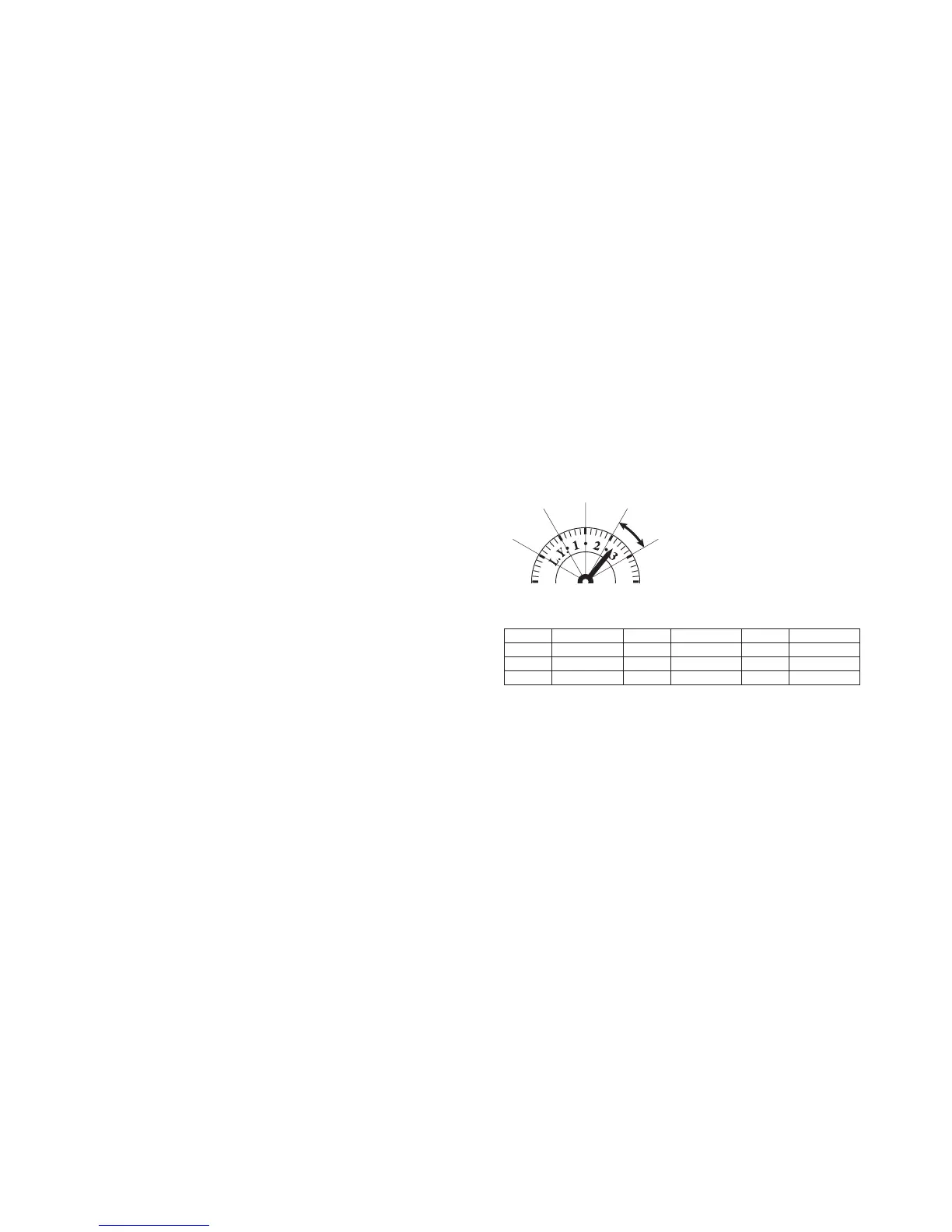
Reading the leap year display
The leap year and years following the leap year
are displayed as shown in the diagram. When
the year hand is in the position
•
c 3 d
•
, the
reading is "the third year following the leap
year."
UU
Leap year display
2004 Leap year
05
06
07
Year 1
Year 2
Year 3
2008
09
10
11
Leap year
Year 1
Year 2
Year 3
2012
13
14
15
Leap year
Year 1
Year 2
Year 3
Leap year
year 1 year 2
year 3
(2) <Date set>
• Press the (A) button to set the date.
(3) <Leap year/month set>
• Check the number of years following the leap year for the current year. (see
below)
• Press the (B) button to set the leap year and month. The year hand is
synchronized with the month hand.


 To Next Page