26
Setting the time
1
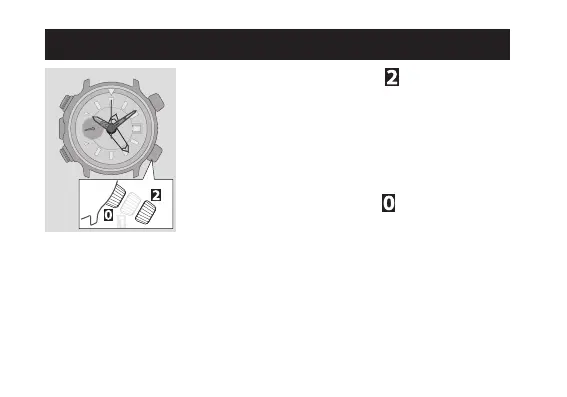
Pull the crown out to position as the second
hand points 0 second.
2
Rotate the crown to set the time.
•TakecarethetimesetisAMorPM.
•Date indicator starts to change to the next as
thesettingpasses10PM.Rotatingthecrown
counterclockwise does not turn back date indicator.
3
Push the crown in to position in accordance
with a reliable time source to finish the procedure.







 To Next Page