13
English
Setting the world time
2
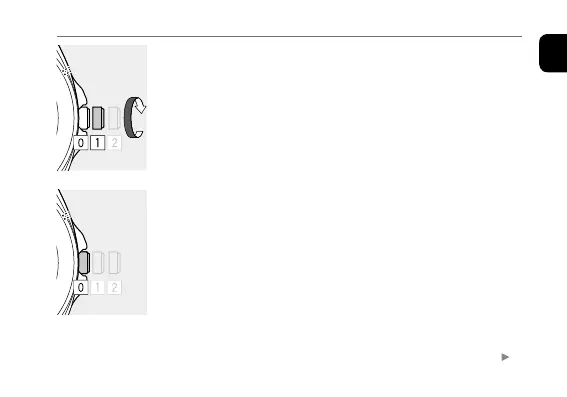
Rotate the crown clockwise while the second hand
points the time zone currently set to choose a new
time zone.
The hour and minute hands start moving as you finished to
select a different area.
• For details of areas and time zones, see “Table of time
zones and representative places” (page
14
).
• Date indication also moves synchronously.
3
When the hands and indication stop, Push the crown
in to position
0
to finish the procedure.
Continued on the next page









 To Next Page