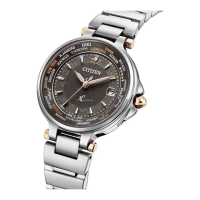
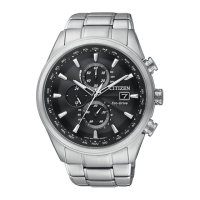
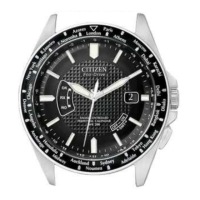
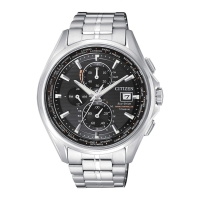
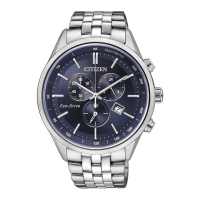
Component identication
Button
Ⓐ
Date indication
City or time zone
Minute hand
Crown
Reception result
indication (OK/NO)
Reception-in-progress
indication (RX)
Summer time
indication (ON/OFF)
Hour hand
Second hand
• Actual appearance may dier from the
illustration above.
• e crown has two positions when pulling it out.
Continued on the next page
H24*
Abbreviated instruction
• This watch is light-powered. Be sure your watch is fully charged before use.
• For complete instructions for setting, use, charging time and specifications, refer to the full instruction manual:
H24* instruction manual
Checking the current power reserve
1. Push the crown in to position
0
.
2. Press and release the lower right button
Ⓐ
.
e movement of the second hand indicates power reserve amount.
Pointing “OK” or “NO” Power reserve is sucient.
Pointing “OK” or “NO” aer
moving counterclockwise
Charge immediately.
Charge suciently.
• It has no relationship with power reserve that which the second
hand points, “OK” or “NO”.
3. Press and release the lower right button
Ⓐ
to nish the procedure.
e indication returns to current time.
• It returns to current time indication automatically in about 10
seconds without pressing the button.
Checking the signal reception result
is watch automatically receives the time signal every night.
1. Push the crown in to position
0
.
2. Press and release the lower right button
Ⓐ
.
e second hand moves to indicate the result of the last reception.
Indication Reception result
OK e reception succeeded.
NO e reception failed.
• Try signal reception following the steps in “Receiving the signal
manually (on-demand reception)” if the last reception failed.
• Even when this watch receives the signal successfully, the
accuracy of the displayed time will be dependent on the reception
environment and internal processing.
3. Press and release the lower right button
Ⓐ
to nish
the procedure.
e indication returns to current time.
• It returns to current time indication automatically in about 10
seconds without pressing the button.
Checking the world time
• e city or time zone setting controls the target station from which
the watch tries to receive signals. Check the city or time zone setting.
• It depends on models which must be set on the watch, the city
or time zone. Set the world time referring to “Setting the city” or
“Setting the time zone”.
Setting the city
1. Pull the crown out to position
1
.
e second hand moves to point the city currently set.
2. Rotate the crown to select a city.
• Choose a city from “Table of the city names” below.
• Each time you change the city, the time and date of the selected
city is shown.
3. Push the crown in to position
0
to nish the procedure.
e indication returns to current time.
Table of the city names
Indication
City name and second hand’s position
Time zone Signal station
LON *London
0 sec.
0
Germany
PAR *Paris
3 sec.
+1
ATH *Athens
5 sec.
+2
Germany
♦
RUH Riyadh
8 sec.
+3
DXB Dubai
10 sec.
+4
KHI Karachi
13 sec.
+5
China
♦
DAC Dhaka
15 sec.
+6
BKK Bangkok
17 sec.
+7
BJS
Beijing
20 sec.
+8
China
TYO Tokyo
22 sec.
+9
Japan
SYD Sydney
25 sec.
+10
Japan
♦
NOU Noumea
27 sec.
+11
AKL Auckland
30 sec.
+12
MDY Midway
33 sec.
-11
USA
♦
HNL Honolulu
35 sec.
-10
ANC **Anchorage
38 sec.
-9
LAX **Los Angeles
40 sec.
-8
USADEN **Denver
43 sec.
-7
CHI **Chicago
45 sec.
-6
NYC **New York
47 sec.
-5
USA
♦
SCL Santiago
50 sec.
-4
RIO Rio de Janeiro
52 sec.
-3
FEN Fernando de Noronha
55 sec.
-2
Germany
♦
PDL *Azores
57 sec.
-1
• For cities with * or **, indication of summer time and that of standard time are
linked together.
• e time zone in the table is based on UTC (Coordinated Universal Time).
• When using the watch in an area not listed in the table, choose and set the city
of the same time zone.
• Countries or regions may change time zones for various reasons.
• Cities with
♦
mark are out of receivable range and signals cannot be received.
(e watch tries to receive signals from the target signal station though.)
• It may be dicult to receive signals in certain environment where it is hard for
signals to reach.
Watch appearance for setting the city
City indication
Time zone indication
Watch appearance for setting the time zone
Crown’s position
0 1 2


 To Next Page
 Need help?

 General