29
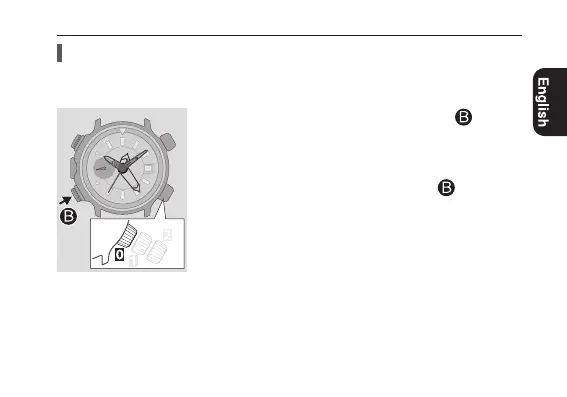
Calibrating altitude indication
1
Press and release the lower left button
.
The measured altitude is indicated.
•It may take a moment to indicate altitude. Wait until
movement of the hands stop.
2
Press and hold the lower left button
for 3
seconds or more.
The 10 000 ft hand points “+” and calibration of altitude
indication becomes available.
Calibratingaltitudeindication
You can correct altitude measured by the watch when you know the actual height
from map, sign or other sources for future measurement.
Continued on the next page




 To Next Page