30
Calibrating altitude indication
3
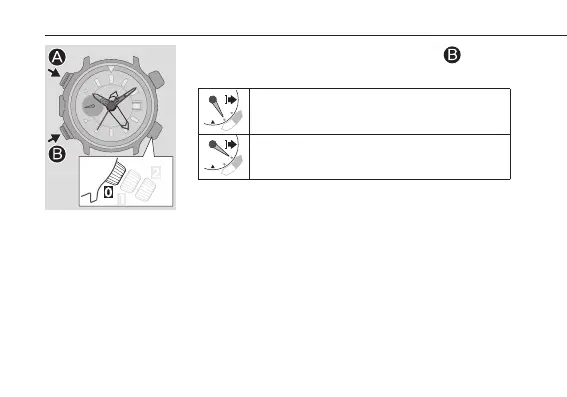
Press and release the lower left button
to
choose + or –.
Choose this when the actual altitude is higher than
the measured one.
Choose this when the actual altitude is lower than
the measured one.
•Each time you press and release the button, choice of
“+” and “‒” changes alternately.
•Repeat steps 3 and 4 to control the altitude value after
calibration.




 To Next Page