40
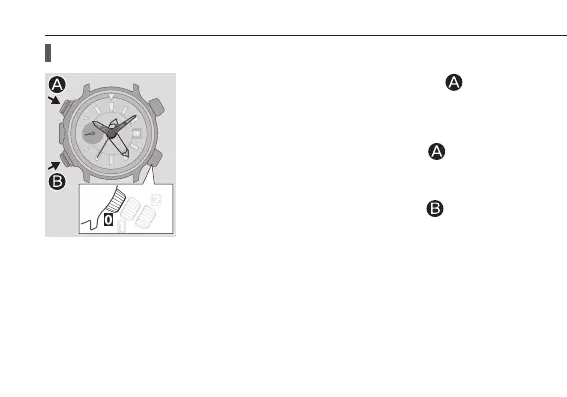
Executing declination correction
1
Press and release the upper left button
.
Compass function starts.
•It may take a moment to indicate compass direction.
Wait until movement of the hands stop.
2
Press and hold the upper left button
for 3
seconds or more.
The compass hand points the 3 o’clock position.
3
Press and hold the lower left button
for 3
seconds or more.
The compass hand points the direction of declination
(east or west) and the 25 ft hand shows the degree of
declination by pointing a second tick mark.
Calibrating compass indication




 To Next Page