217
Driving
DS4_en_Chap08_conduite_ed03-2015
With the touch screen tablet
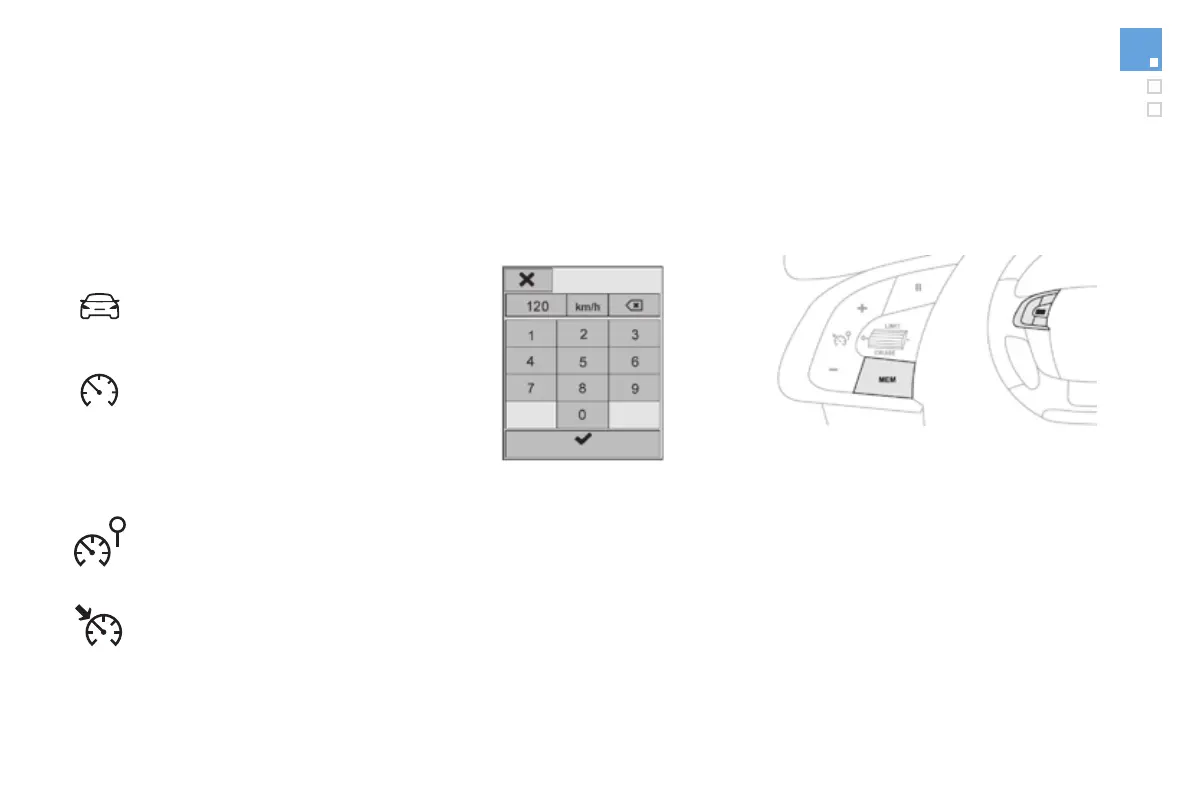
Modifying a speed setting
F In the secondary page, press
"Speed settings".
F Select the system for which you want to
memorise new speed settings:
● speed limiter
or
● cruise control.
"MEM" button
Press this button to select a speed settings for
use by the speed limiter or cruise control.
Refer to the corresponding section.
F Press this button to select the
"Driving" menu.
F Choose the speed setting to be modified.
F Enter the new value using the numerical
keypad and confirm.
F Confirm to save the modification and quit
the menu.


 To Next Page