Need help?
Do you have a question about the Clabel CT520B and is the answer not in the manual?
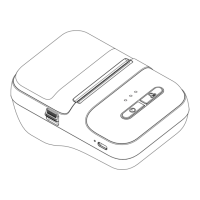
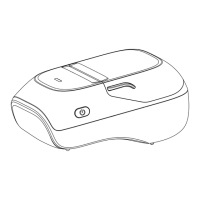
Includes one printer unit in the package.
Includes one USB Type-C data cable for charging/connection.
Details on turning on, printing last label, and device information.
Explains blue/red light indicators for Bluetooth and battery status.
Instructions on how to open the paper bin cover.
Press and hold the power button for 2 seconds to turn on the device.
Push the button upwards to open the paper bin cover.
Place the label paper upside down into the paper bin.
Securely close the paper bin cover after loading paper.
Get the Clabel mini application from the App Store or Google Play.
Navigate to phone settings and turn on Bluetooth.
Click the 'Edit' button within the app to begin designing labels.
Click the icon in the upper right corner to access print settings.
Connect to the printer by selecting its name in the Bluetooth list.
Add content, click 'Print', then click 'OK' to complete printing.
Ensure label paper is loaded correctly, upside down, into the bin.
Disable 'Memory Print' in the app if unintended reprinting occurs.
Force power off using the reset hole with a needle if buttons are unresponsive.
Supports gap label paper with width less than 15 mm.
Approximate charging time is 4 hours for a full charge.
Compatible with Clabel brand thermal labels.
The Clabel 520B model prints only in black color.
Modifications may void user authority; device complies with FCC Part 15 limits.
Maintain 20cm distance from body for compliance with RF exposure guidelines.
 General
| Brand | Clabel |
|---|---|
| Model | CT520B |
| Technology | Thermal Transfer |
| Maximum Print Resolution | 203 dpi |
| Print Resolution | 203 dpi |
| Power Source | Battery |
| Label Material | Paper, Polyester |
| Battery Type | Lithium battery |


 To Next Page