
 Need help?
Do you have a question about the clare ClareOne CLR-C1-PNL1 and is the answer not in the manual?
Describes how the ClareOne panel can be mounted.
Details the methods for powering the ClareOne panel.
Covers arming, disarming, and emergency contact procedures.
Access to user-specific settings and management options.
Access to advanced settings for panel configuration by installers.
Details the available emergency panic buttons and their functions.
 General
| Model | CLR-C1-PNL1 |
|---|---|
| Type | Control Panel |
| Resolution | 1024 x 600 |
| RAM | 1 GB |
| Connectivity | Ethernet, Wi-Fi, Cellular |
| Wi-Fi | 802.11 b/g/n |
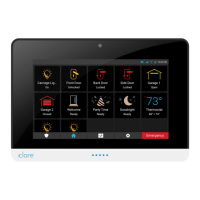
| Display | 7-inch capacitive touchscreen |
| Processor | Quad-core |
| Operating System | Linux-based |
| Wireless Protocol | Z-Wave Plus |
| Cellular | LTE |
| Power Supply | 12VDC, 1A |
| Power | 12W |
| Operating Temperature | 0°C to 40°C |
| Mounting | Wall mount |
| Compatibility | Clare Controls ecosystem |
| Storage | 8 GB eMMC |

 To Next Page

