5-11
Section 5. Operating Procedures
Controlling Speed
With the direction control in FORWARD or REVERSE, the parking
brake released, put your foot on the accelerator pedal and push
down smoothly until the truck is moving at the desired speed.
Braking
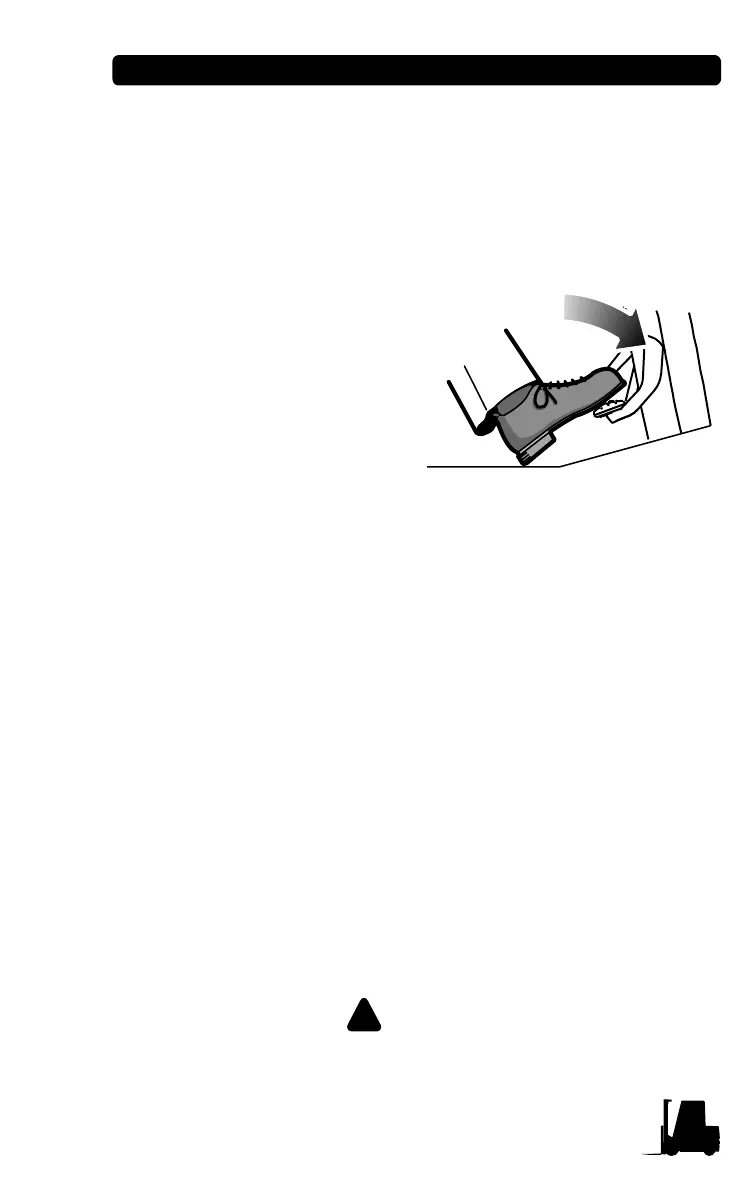
To stop the truck, lift your foot
from the accelerator pedal and
p
ut it on the brake pedal. Push
down on the brake pedal in a
smooth, firm motion until the
truck is stopped.
(ECX/TMX): On full AC model
tr
ucks releasing the accelerator
will cause the truck to slow more
rapidly.
Stop a lift truck as gradually as practical. Hard braking
and wheel sliding are dangerous and can cause tip-over
or the truck could lose its load. Also, hard braking can
increase wear and can be harmful to the lift truck.
Plugging
You can change direction, without braking, by “plugging.” As you are
tr
aveling, move the direction control lever to the opposite direction
and keep the accelerator pedal depressed. The truck should slow to
a smooth, controlled stop and then accelerate in the opposite
direction.
You can control the plugging distance with the accelerator pedal:
T
he farther the accelerator is depressed, the shorter the reversal
distance.
By lifting your foot from the accelerator pedal as the truck comes to a
stop (b
efore going in the opposite direction) the truck can be stopped
without use of the brakes.
Be careful when plugging. Any sudden change in
direction can cause the load to move or fall off the forks.



 To Next Page