3-10 Pod Symbols and Functions
Weight Measurement System (Option)
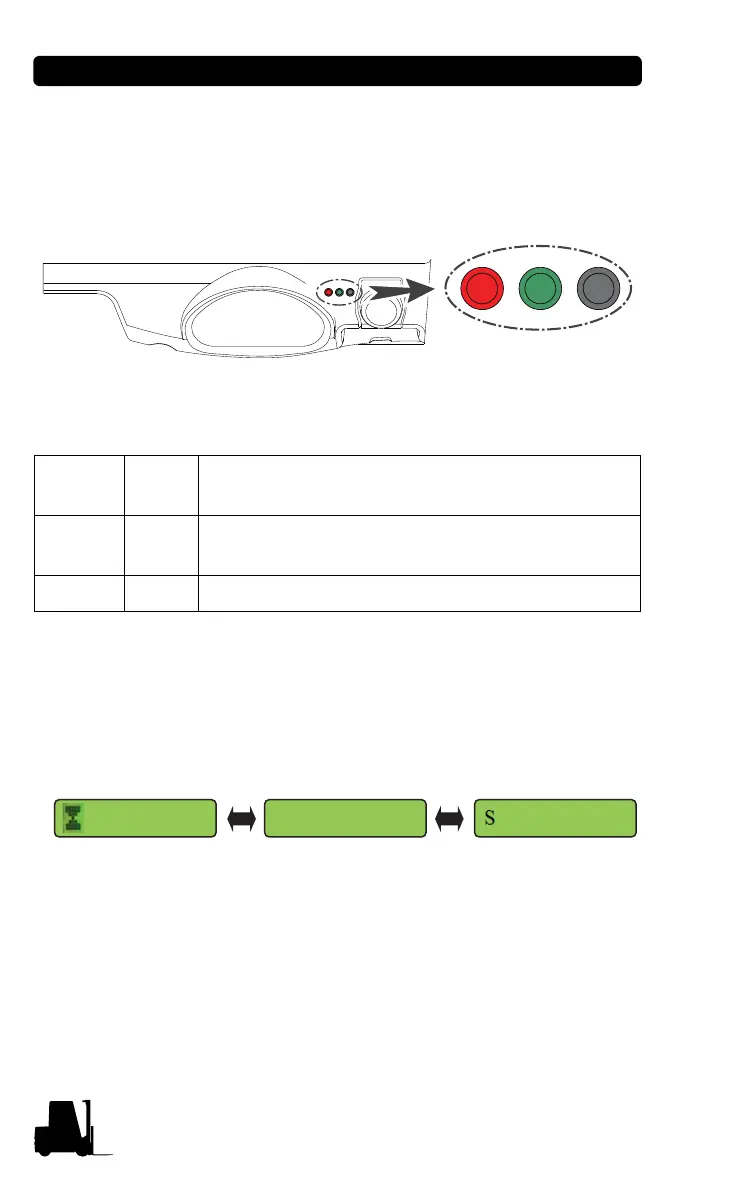
Switch Operation Method and Description
The switch can be found on the right side of the instrument panel.
Use the switch when setting or changing the weight measurement
system.
Weight measurement display
When the load weight is 100kg or more, the load weight is displayed
only when the truck speed is 0.5km/h or less.
• Weight measurement error range : ±100kg
※ Refer to the service manual or contact the CLARK dealer for
how to setting the weight measurement.
Switch 1 Red
Go to the submenu.
Change the setting and number.
Switch 2 Green
If pressed for less than 2 seconds : Cancel
If pressed for more than 2 seconds : Save
Switch 3 Black Move between menus. (Move to the right side.)
1.0
100kg 0.5km



 To Next Page