12
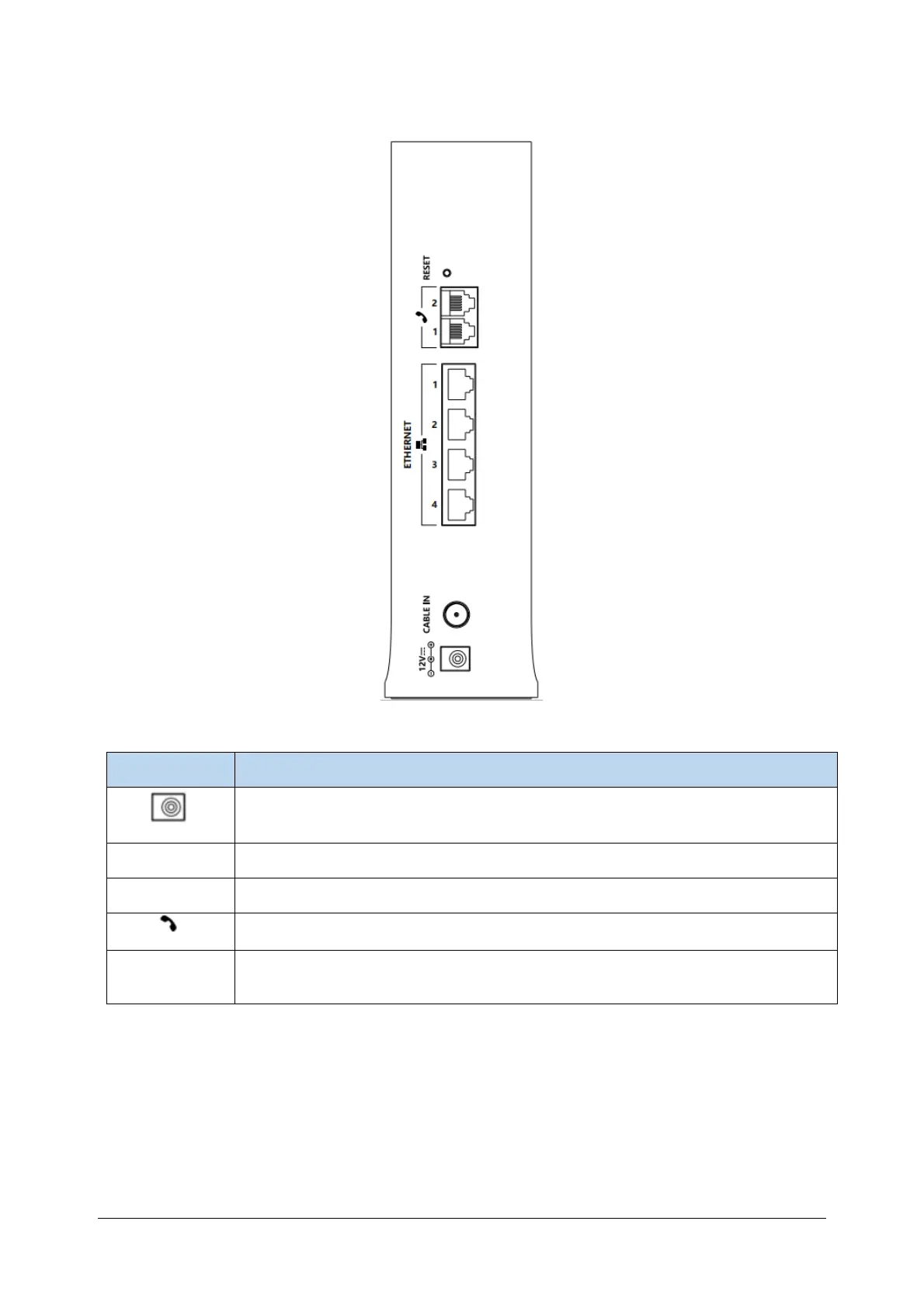
The following figure shows the description and functions of the OG3000 rear panel components.
Items Description
Power connectors connection.
CABLE IN RF connection interface cable.
ETHERNET RJ-45 network cable (10/100 / 1000BaseT integrated) Connection interface.
RJ11 Telephone line connection interface
RESET
Reset the device. Press for more than 5 seconds and the OG3000 will reset to factory
settings.


 To Next Page