13
3. Installation
3.1 Steps of installation
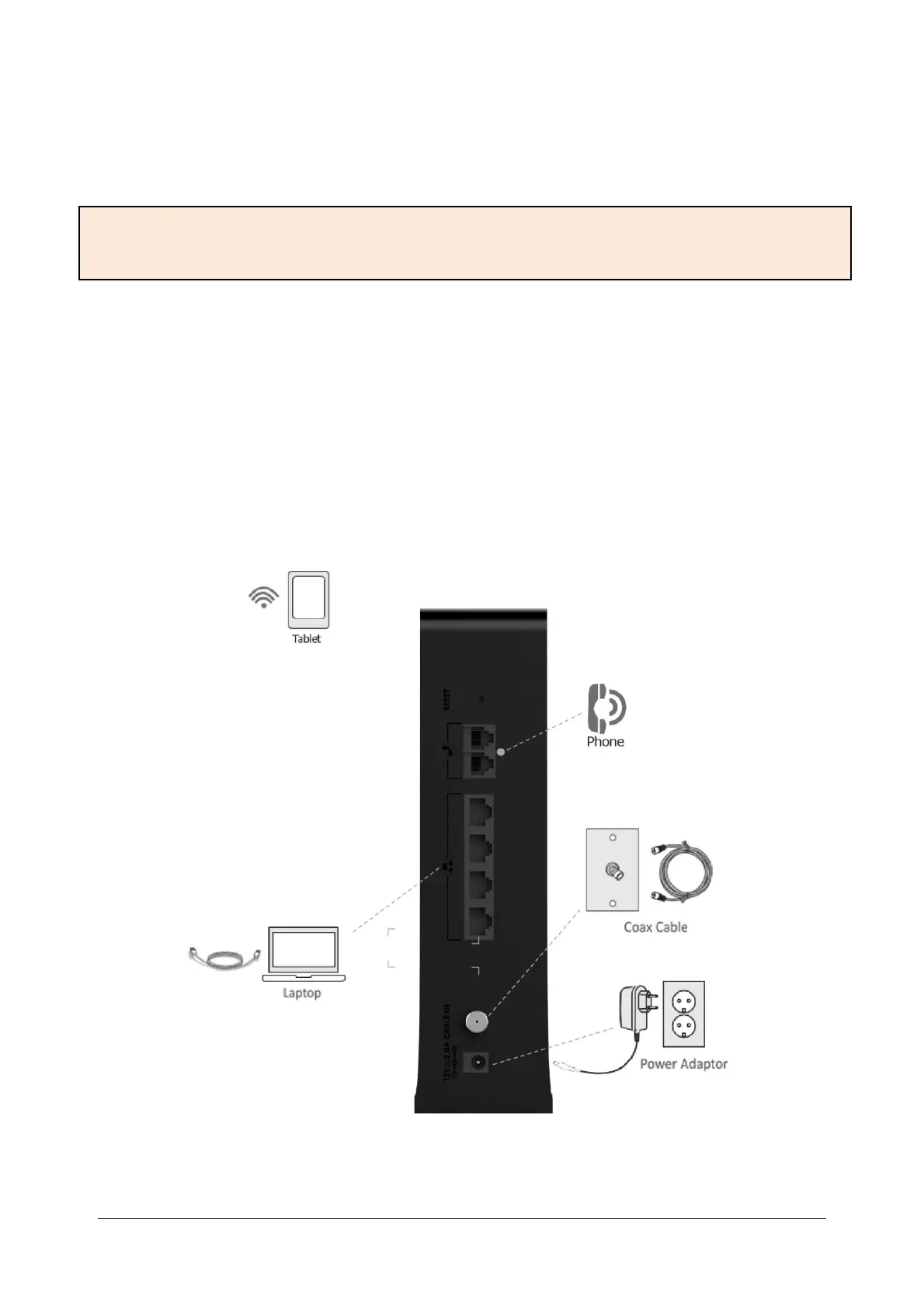
Follow the instructions in the figure below to connect the device correctly.
Disconnect all telephone and network services before installation.
Make sure the installation environment has good ventilation and cooling.
Keep the OG3000 away from moisture and heat.
Make sure the OG3000 and the socket are properly grounded.
Wear antistatic gloves during installation and maintenance.
Install the device in a central location in your home or office to ensure maximum wireless coverage.
1. Choose a suitable and safe location to install OG3000.
2. Connect one end of the cable to the corresponding cable connector on the back of the OG3000, and
Warning: During OG3000 installation, improper operation and use may cause danger to the installer and the
equipment may not function properly. Before installing and using, pay special attention to the following
precautions.


 To Next Page