18
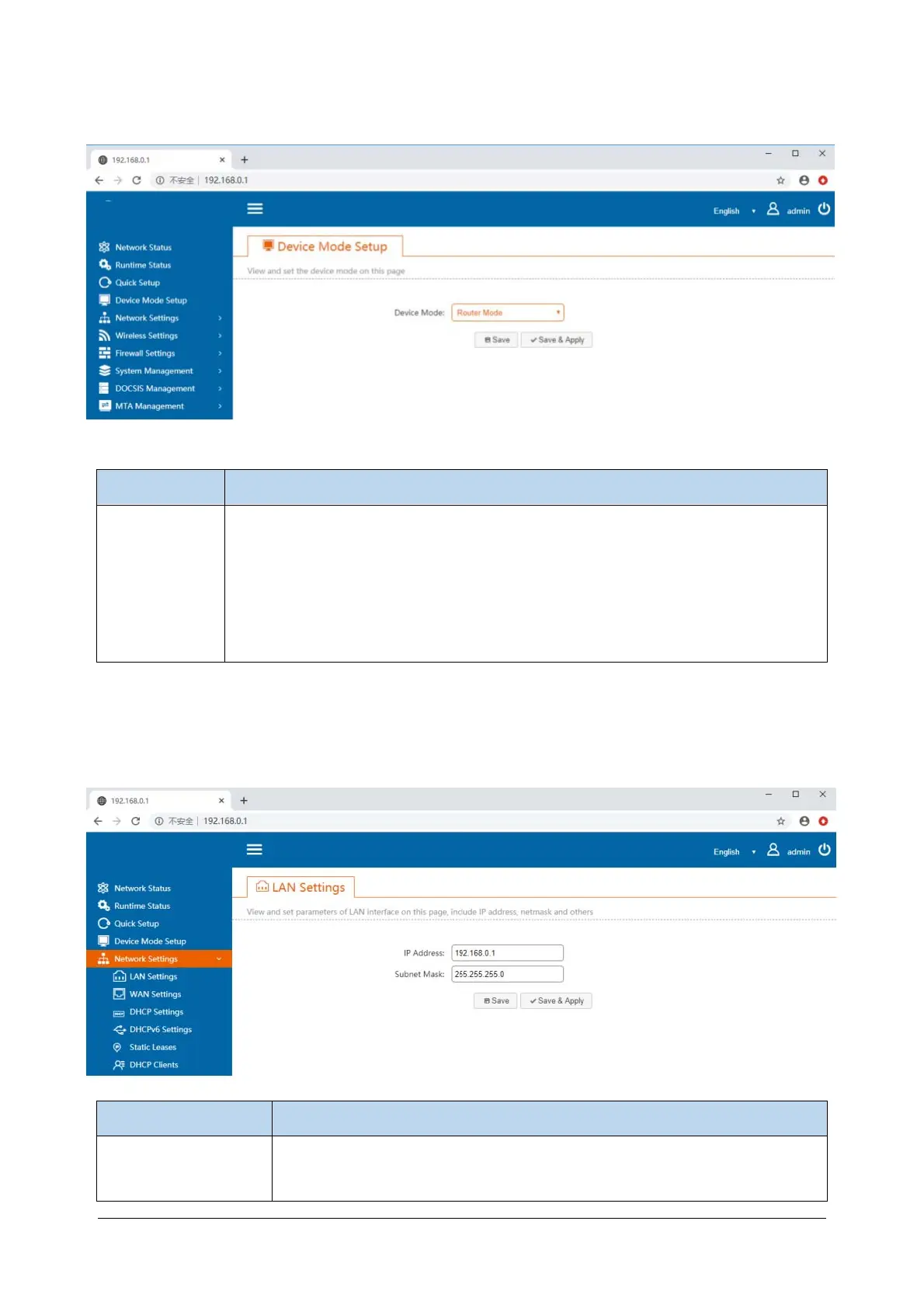
4.3 Device Mode Setup
Items Description
Device Mode
The operating mode of the system. Default router mode 。
Router Mode: EMTA accesses the Internet through a cable modem. In this mode,
EMTA has NAT, firewall and other network services.
Bridge Mode - All network interfaces in EMTA are linked together. There are no
network services like NAT or firewall.
4.4 Network Configuration
4.4.1 LAN settings
Items Description
IP address
The LAN IP address is also the management IP that the device accesses from
the LAN port. The default value is 192.168.0.1.


 To Next Page