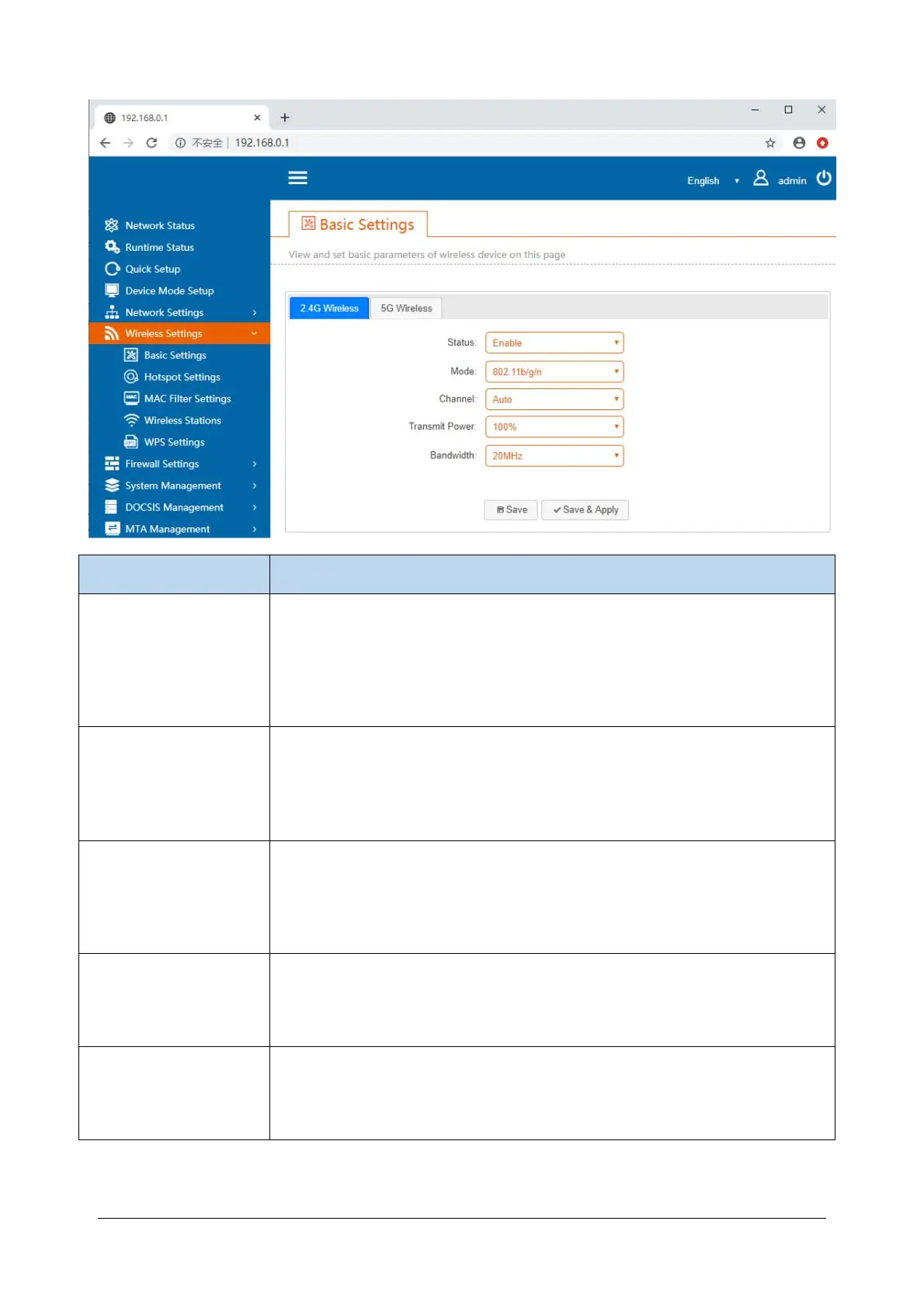
24
Items Description
Status
Global wireless switch.
Enable: enables the wireless access point;
Disable: Turn off the wireless access point (this will prevent you from connecting
to the Internet wirelessly).
Mode
802.11bgn mode settings. which generally does not need to be changed.
2.4G: The default value is 802.11 b / g / n.
5G: Default is 802.11 AC.
Channel
Select the wireless working channel.
By default, it is automatic. Normally, there is no need to modify this. Only when
the environmental interference is relatively large should it be changed toa
relatively clean channel.
Transimit Power
Transmission power adjustment.
The default value is 100%. You can adjust the transmission function as
necessary. However, this can reduce wireless coverage or signal strength.
Bandwith
Bandwidth selection.
The default value is Automatic. Generally, it is not necessary to modify it for this
purpose.


 To Next Page