35
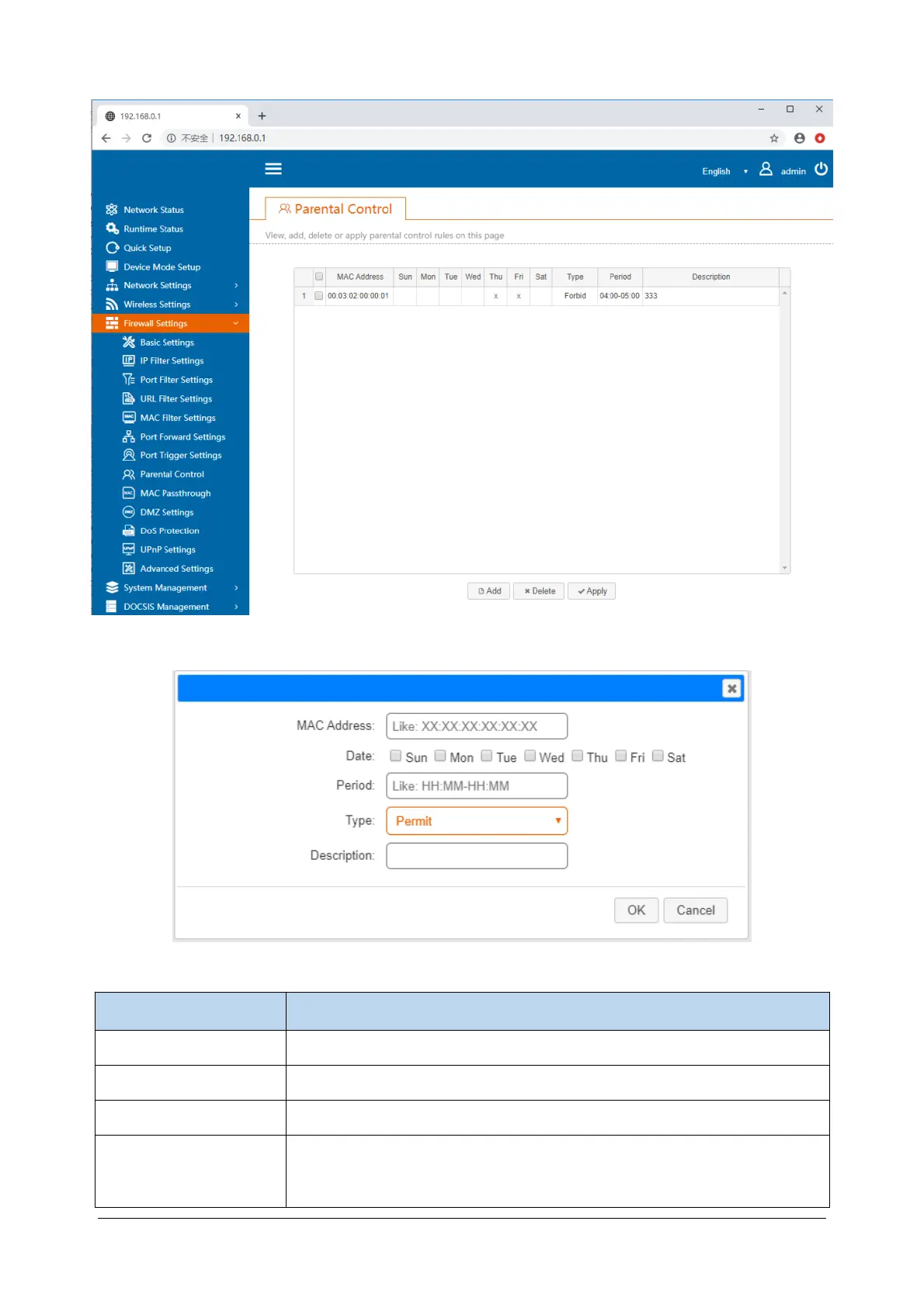
Click the added button, a dialog box will appear, you can set the rules.
Items Description
MAC address MAC address of the Internet device.
Date You can check the day or several days of the week.
Period Time period setting, precision is 1 minute.
Type There are two types of parental controls: Allow and Prohibit. Allowing means
allowing access to the Internet within the period and time period set forth
above; Prohibiting means prohibiting access to the Internet.



 To Next Page