14
(11) LAYER FUNCTION
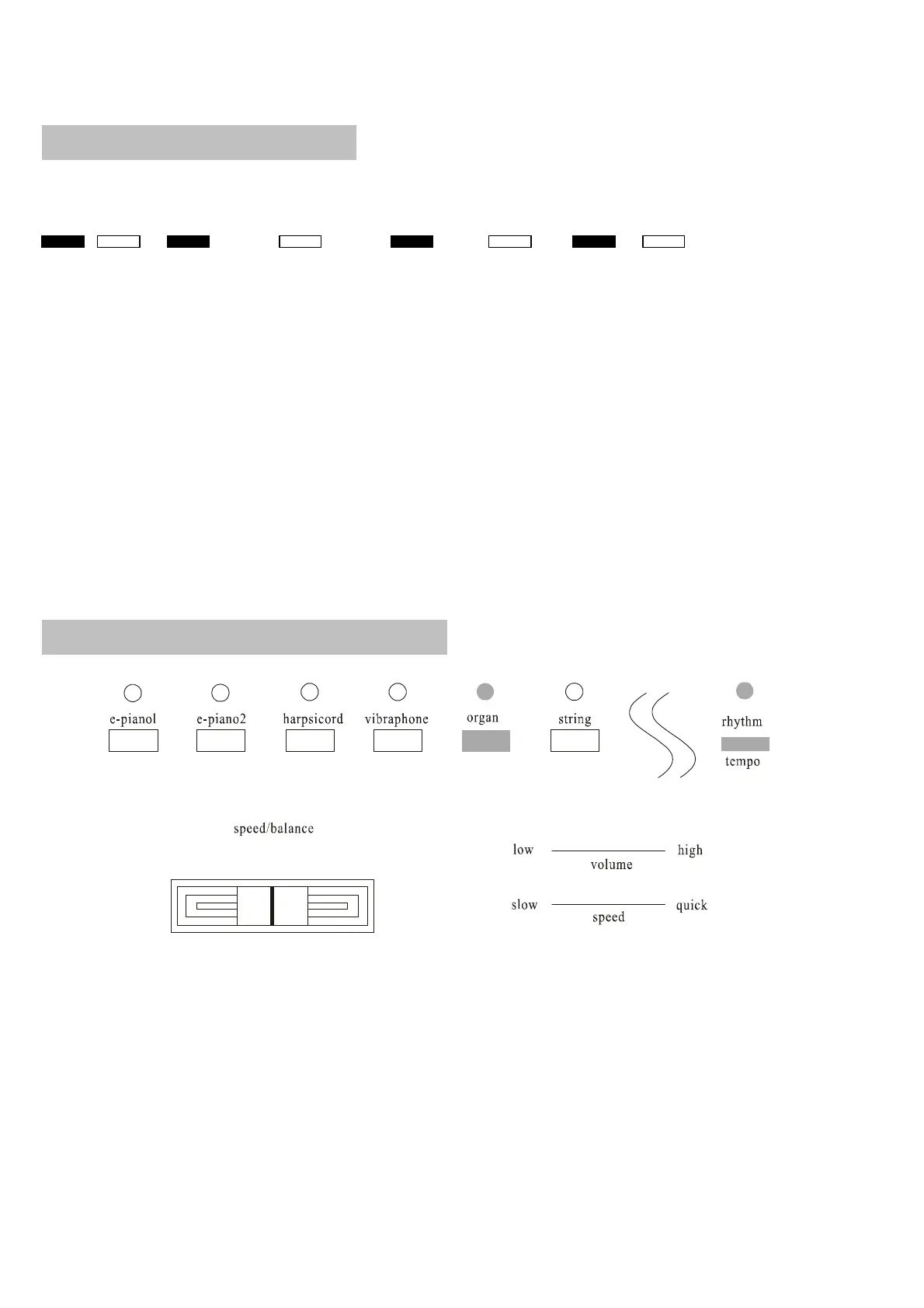
The piano can combine two sounds at the same time.
Piano1 Piano2 E. piano1 E. piano2 Harpsichord Vibraphone Organ Strings
1. Select two sounds
Press two sound buttons at the same time, two corresponding lights turn on.
2. Adjust volume balance of the two sounds.
A. Hold down the two sounds button, and two lights flash.
B. Move the speed/balance adjuster to change the balance of the volume.
Move rightwards to increase the volume of the right sound
Move leftwards to increase the volume of the left sound
3. Stop the setting of layer balance.
Press any sound button which flashes, two sounds buttons turn on from flashing. The sound combination will be stored in the
piano.
(12) METRONOME FUNCTION
20 120 250
0
▲
1. Use the metronome. Press the metronome button—the light turns on.
2. Change the tempo
A. Press the metronome button and the corresponding sound button together
B. Select the tempo - there are 5 kinds of tempo. 0 beat tempo, 2 beat tempo,3 beat tempo,4 beat tempo,5 beat tempo
and 6 beat tempo.
C. When the power is turned on, the tempo is 4 beat tempo


 To Next Page