
 Need help?
Do you have a question about the Clay Paky SPHERISCAN C11260 and is the answer not in the manual?
Ensures correct installation and secure mounting of the projector.
Specifies safe distances from illuminated objects and flammable materials.
Covers ambient temperature, IP rating, electrical shock protection, and mains connection.
Outlines maintenance precautions, lamp handling, and photobiological safety.
Details about the product's rechargeable lithium battery.
Instructions on how to access safety information in multiple languages.
Procedure for connecting the projector to the main power source.
Instructions for connecting the DMX control signal cable.
Steps for safely switching the projector on and initial display information.
How to activate or deactivate the display screen orientation reversal.
Procedure for assigning DMX starting addresses and fixture identification numbers.
Explanation of how to use the control panel buttons and navigate menus.
Description of the 'Setup' section and its configurable parameters.
Description of the 'Option' section and its selectable operating modes.
Overview of the 'Information' section for viewing system data.
Detailed information on system status, hours, versions, and diagnostics.
Overview of manual operations for lamp, reset, channel, and test functions.
Access and functions available in the 'Advanced Menu' for technical users.
Configuring DMX address and selecting the operating channel mode.
Setting the Fixture ID and selecting the Ethernet control protocol.
Configuring IP address, IP mask, and DMX universe for Ethernet.
Controlling lamp remotely and optimizing Pan/Tilt movement.
Adjusting color mixing, shutter behavior, and display brightness.
Saving and loading user presets for various settings.
Viewing system error logs and total/partial fixture operating hours.
Monitoring lamp operating hours and on/off cycles.
Checking hardware/software versions and board diagnostic status.
Viewing DMX channel levels in bit and percentage.
Monitoring fan speeds and status of installed sensors.
Checking and activating gobo wheel indexing procedures.
Understanding IP address, IP mask, and MAC address settings.
Performing manual control of lamp, projector reset, and DMX channel levels.
Running tests to verify the proper function of effects.
Transferring firmware and changing projector model settings.
Adjusting mechanical alignment and performing gobo indexing.
Setting a password to restrict access to user menu settings.
Guidelines for cleaning internal parts and recommended annual servicing.
Procedure for cleaning or replacing the projector's air filters.
Accessing the lamp compartment and replacing the projector lamp.
Instructions for safely replacing a blown fuse.
Details regarding the rotating gobo wheel, its types, and limitations.
Details on power requirements, input power, and lumen output.
Physical dimensions, ingress protection rating, and safety device information.
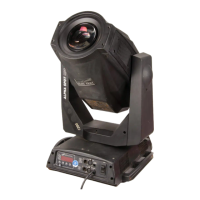
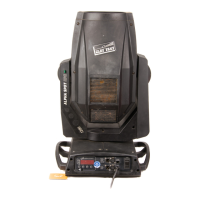
Description of the projector's construction, cooling system, and operating positions.
Information on the projector's lighting effects, color mixing, and gobo wheels.
Overview of DMX protocols, display type, and movement resolutions.
Details on internal electronics, battery, and input/output connections.
Troubleshooting steps for when the projector does not switch on.
Diagnosing and resolving problems related to defective projection.
Identifying causes and solutions for decreased light output.
DMX channels for controlling Cyan, Magenta, Yellow, and Colour mixing.
Channels for Stopper/Strobe, Dimmer, Iris, Gobo, Prism, Frost, Zoom, Focus, Pan, and Tilt.
Channels for Function, Reset, Lamp Control, and timing parameters.
 General
| Brand | Clay Paky |
|---|---|
| Model | SPHERISCAN C11260 |
| Category | Lighting Equipment |
| Language | English |




 To Next Page