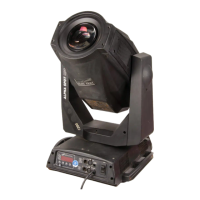
EasyManua.ls Logo

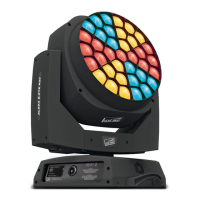
Clay Paky A.LEDA B-EYE K10 - User Manual

Clay Paky A.LEDA B-EYE K10
31 pages
Print Icon
To Next Page IconTo Next Page
Loading...
1
A.LEDA B-EYE K10
A.LEDA B-EYE K20
C61415
C61420
®
INSTRUCTION MANUAL
Congratulations on choosing a Clay Paky product!
We thank you for your custom.
Please note that this product, as all the others in the rich Clay
Paky range, has been designed and made with total quality to
ensure excellent performance and best meet your expectations
and requirements.
Carefully read this instruction manual in its entirety and keep it
safe for future reference. It is essential to know the information
and comply with the instructions given in this manual to ensure
the fitting is installed, used and serviced correctly and safely.
CLAY PAKY S.p.A. disclaims all liability for damage to the fitting
or to other property or persons deriving from installation, use and
maintenance that have not been carried out in conformity with this
instruction manual, which must always accompany the fitting.
CLAY PAKY S.p.A. reserves the right to modify the
characteristics stated in this instruction manual at any time and
without prior notice.
ENGLISH
PRELIMINARY
INDEX
Page
2
3
4
5
7
15
17
17
18
Contents
Safety information
Unpacking and preparation
Installation and start-up
Control panel
Menu setting
Maintenance
Technical information
Cause and solution of problems
Channel functions
PRELIMINARY
PRELIMINARY
subject to change without prior notice
Question and Answer IconNeed help?

Do you have a question about the Clay Paky A.LEDA B-EYE K10 and is the answer not in the manual?

Summary

Safety Information

Installation & Mounting Precautions

Ensure proper installation, distances, and mounting surfaces for safety.

Electrical & Environmental Safety

Covers ambient temperature, IP rating, electrical connections, and surface temperature.

Installation and Start-up

Projector Mounting and Power Connection

Guidance on projector installation and connecting the power cable.

Control Panel

Power and Signal Connections

Instructions for connecting the projector to mains and DMX signal.

Menu Setting

Setup Menu Options

Configure DMX address, channel mode, fixture ID, and Ethernet settings.

Options Menu Configuration

Adjust Pan/Tilt, Silent Mode, Display brightness, and speed settings.

Manual Control and Testing

Maintenance

Technical Information

Cause and Solution of Problems

Troubleshooting Power and Electronics

Addresses issues with projector power and electronic operation.

Troubleshooting Projection and Luminosity

Diagnoses and resolves problems related to projection and light output.

Channel Functions

Clay Paky A.LEDA B-EYE K10 Specifications

General IconGeneral
BrandClay Paky
ModelA.LEDA B-EYE K10
CategoryLighting Equipment
LanguageEnglish

Related product manuals