Need help?
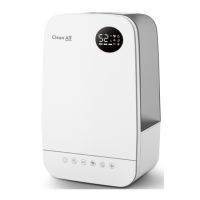
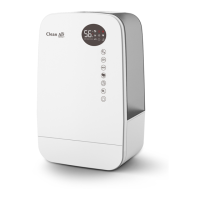
Do you have a question about the Clean Air Optima CA-106 Smart and is the answer not in the manual?
Covers all essential safety guidelines for device operation, handling, and maintenance from pages 5-6.
Instructions for installing the battery in the remote control for device operation.
Guidance on how to fill the water tank with fresh drinking water and ice for cooling.
Information on using ice packs for enhanced cooling effect and proper handling.
How to turn the device on and off using the power button.
Activating and deactivating the cooling and humidifying function.
Setting the timer for automatic operation or delayed start.
Switching between normal, natural, and sleep wind modes.
Adjusting the fan speed for desired airflow (levels 1-3).
Enabling oscillation for even air distribution in the room.
Starting and stopping the air purification process and monitoring air quality.
Using the smart sensor for automatic air quality regulation and fan speed adjustment.
Combining cooling, humidifying, and air purification functions.
Intelligent air cleaning and humidifying with smart sensor.
Operating the device solely as a fan.
Understanding the audible alert for an empty water tank.
Activating the dry wind function to dry the evaporative filter.
Device automatically switches off after 15 hours of inactivity.
The anion function is active when the device starts and stops.
Guidelines for maintaining the aircooler, including water tank cleaning and descaling.
Step-by-step guide for cleaning and descaling the water tank and pump.
Procedure for cleaning the air quality sensor to ensure accurate readings.
Instructions for cleaning the exterior of the aircooler.
How to reset filter timers and understand filter replacement indicators.
Guidelines for cleaning and maintaining the HEPA H13 filter for optimal performance.
Instructions for cleaning and drying the evaporative filter.
Steps to connect the device to your WiFi network via the Clean Air Optima® App.
How to share device control with limited or full access to other users.
Identifying signs of used-up filters and warnings about filter damage.
Contact information and website for ordering new filters.
Proper procedures for storing the aircooler during extended periods of non-use.
Information on filling out the warranty certificate and terms of coverage.
 General
| Model | CA-106 Smart |
|---|---|
| Type | Ultrasonic Humidifier |
| Humidification Output | 300 ml/h |
| Power Consumption | 30 W |
| Operating Voltage | 220-240 V |
| Noise Level | 35 dB |
| Control Type | Touch Control |
| Additional Features | Aroma diffuser, Timer, Night mode |


 To Next Page