EasyManua.ls Logo

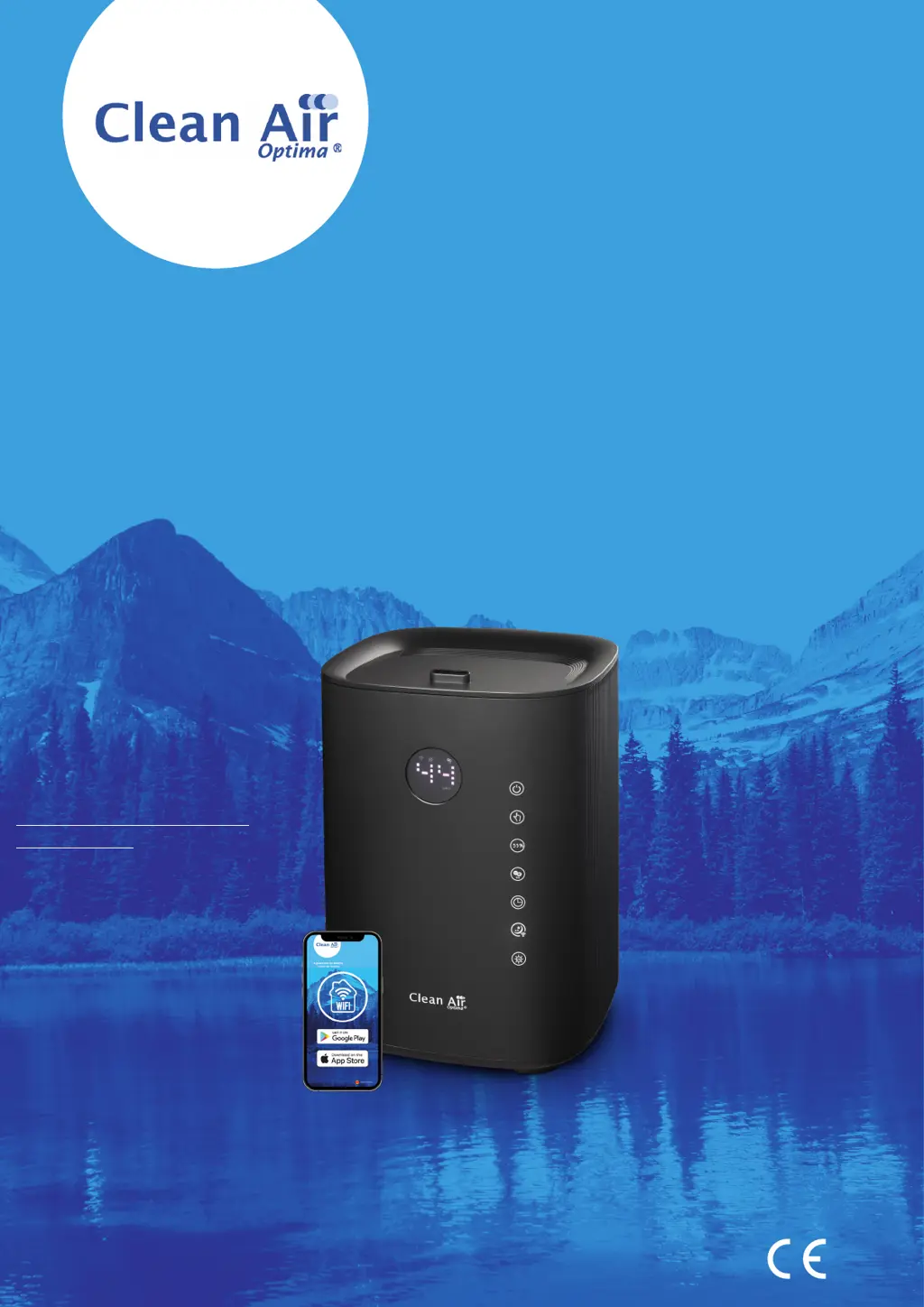
Clean Air Optima CA-604B Smart - User Manual

Clean Air Optima CA-604B Smart
178 pages
Print Icon
To Next Page IconTo Next Page
Loading...
Руководство пользователя
Прирачник за користење
User manual
Gebrauchsanweisung
Gebruiksaanwijzing
Mode d’emploi
Manual del usuario
Instrukcja obsługi
Manual de utilizare
Uživatelská příručka
Naudotojo vadovas
Kasutusjuhend
Lietošanas pamācība
Read these instructions carefully before you start using the Ultrasonic Humidifier and keep the manual for later usage.
Ultrasonic Humidifier Clean Air Optima® CA-604B Smart
© Copyright: Clean Air Optima
®
Manual
Find more languages on:
www.cleanairoptima.com/
info/manuals

Questions and Answers

Summary

Safety Warnings

General Safety Instructions

Includes indoor use, voltage, transducer sensitivity, child supervision, steady position, interference, cord damage, repairs, unplugging, water removal, power cords, room conditions, object insertion, disassembly, sunlight, immersion, wet hands, storage, sink cleaning, manual adherence.

Operating Instructions

Device Functions

Power Button Operation

Activates humidifier, manual mode, medium mist. Press to turn on/off.

Manual Mist Level Control

Adjust mist output: low, medium, high, or automatic. 3 levels of mist.

Humidity Level Setting

Set target humidity (30-75%). Machine enters sleep state when target is met.

Negative Ion Function

Activates ion generator for air purification. Press again to turn off.

Timer Function

Set operating timer from 1 to 12 hours. Device auto-shuts off.

Advanced Features

Sleep Mode Activation

Turns off display, operates at low mist. Press twice to activate/deactivate.

WiFi Connectivity Setup

Press 3s to open/reset WiFi. Connects to smart devices for app control.

UV-Light Sterilization

Activates UV light to kill bacteria in mist. UV icon indicates function.

Water Tank Empty Indicator

Alerts for empty tank with signal and light. Device automatically shuts down.

Display Interaction

Display dims after 15s. Touch once to activate, twice to use function.

Operation with Clean Air Optima App

Connectivity

Compatibility with iPhone, iPad, Android. Connects via WiFi using the CleanAirOptima app.

About the Clean Air Optima App

Information about the app's purpose and features.

Set up WiFi connection

Download app, create account, connect device to WiFi network following on-screen instructions.

Reset the WiFi function

Press 'Sleep Mode' button for 3s to reset WiFi. Indicator light blinks rapidly.

Connect devices to multiple phones

Share the device with limited access

Share device with multiple persons. They get access but cannot manage all settings.

Share device with full access

Add persons to home management. They get full rights and permissions to all linked devices.

Water Filter Preparation and Installation

Water Filter W-02 Function

Reduces limescale and particles. Effective 1-3 months, replace every 2-3 months.

Filter Installation Steps

Unscrew old filter, rinse new filter, screw new filter into the bottom of the water tank.

Water Filter Replacement and Reset

Filter Lifespan Monitoring

Device signals filter replacement after 400 working hours with a double zero indicator.

Filter Timer Reset

Press and hold the power button for 3 seconds to reset the filter timer after replacement.

Aromatherapy

Activating the aroma function

Remove tray, add 5-10 drops of essential oil, replace tray. Function activates with humidifier.

Use of essential oils

Use high-quality essential oils for personal aromatherapy. Order oils from online store.

Warning on Additives

Do not use other oils or additives; they can damage the device and void the warranty.

Cleaning and Maintenance Procedures

Regular Cleaning Recommendations

Clean transducer and basin weekly. Rinse and refill tank as needed. Dry device when not in use.

Recommended Cleaner

Use Clean Air Optima® Cleaner & Descaler for effective cleaning and descaling of humidifier parts.

Transducer and Water Basin Cleaning

Descaling Procedure

Apply cleaner to transducer/basin, let sit, gently scrub mineral layer, then soak basin.

Rinsing and Final Cleaning

Rinse transducer and basin thoroughly. Clean water tank with mild detergent and rinse.

Safety Note for Cleaning

Device must be unplugged during cleaning to prevent release of aerosols.

Troubleshooting Guide

Mist and Odour Issues

Addresses no mist, strange odour. Check plug, water level, clean tank, air out new device.

Mist Volume and Noise Problems

Addresses low mist, noisy operation. Clean basin/transducer, ensure correct water level and stable placement.

Spray Path and App Connectivity

Fixes spray path issues and app connectivity. Clean top panel, reset WiFi, follow app setup.

Product Specifications

Technical Details

Lists model, room coverage, voltage, power, capacity, active oxygen, sound level, dimensions, weight, water tank size, and colour.

Compliance and Disposal

States EU regulations compliance (CE/WEEE/RoHS) and advises on packaging/device disposal.

Warranty and Service Information

Warranty Certificate Instructions

Fill out warranty certificate, describe damage, and send with invoice and unit for warranty claims.

Warranty Coverage Details

Covers defects in material/workmanship for two years. Excludes misuse, accidents, and tampering.

Other Warranty Conditions

States warranty is in lieu of others, limits liability, and excludes specific damages and conditions.

Clean Air Optima CA-604B Smart Specifications

General IconGeneral
TypeUltrasonic
Humidity Output300 ml/h
Control TypeDigital
Weight2.5 kg
Adjustable humidificationYes
TimerYes, up to 12 hours
Power Consumption30 W
Water Tank Capacity6 L
Noise Level25 dB
Additional FeaturesAromatherapy function, LED display
Suitable for rooms up to30 m²

Related product manuals