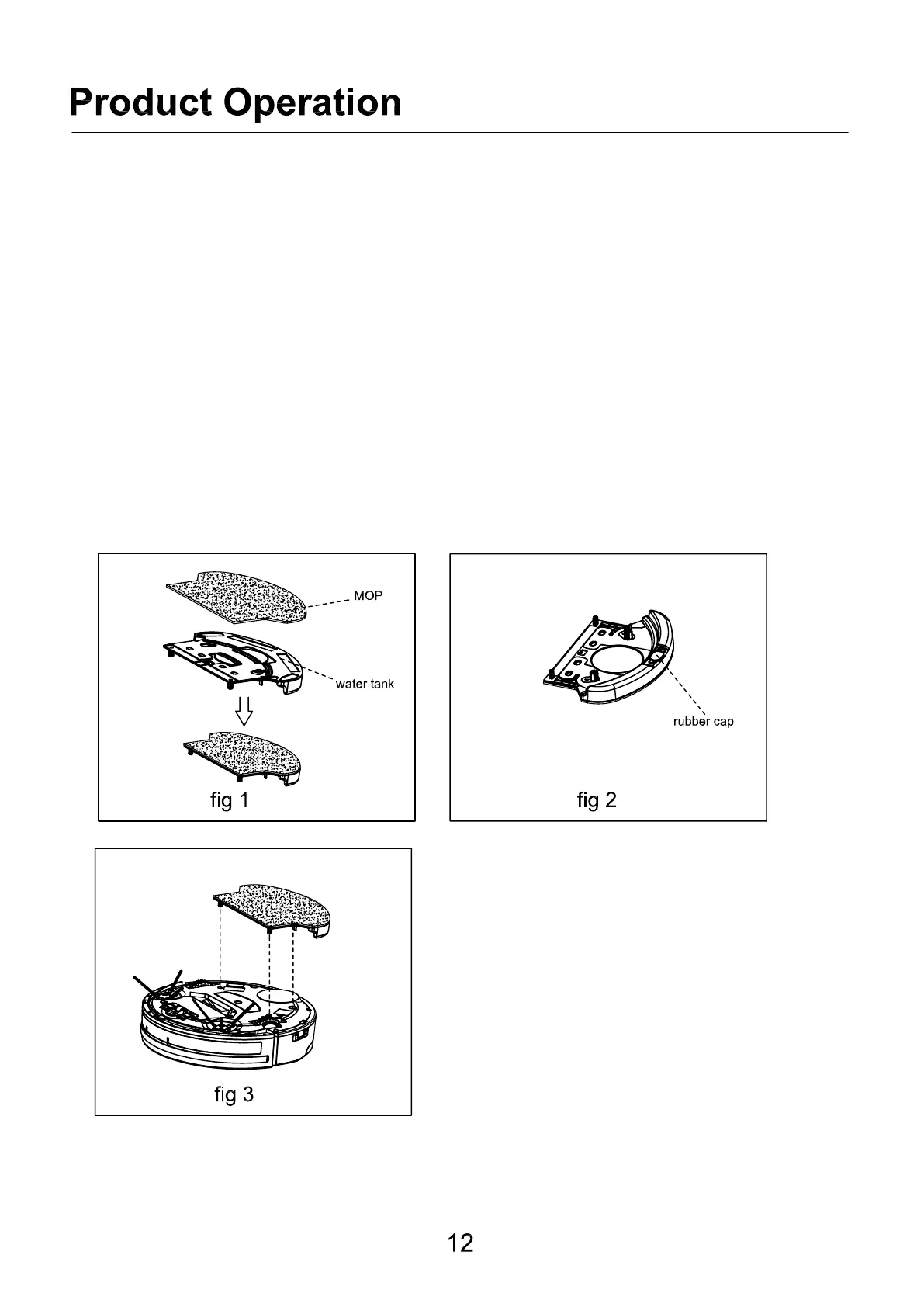
Water tank and mopping cloth
1. Placing the mopping cloth
Place the mopping cloth on the bottom of water tank as shown in fig 1, make sure the sticking side
and mopping cloth are facing the appropriate sides, and then place the mopping cloth on its sticking
side.
2. Fill water tank with water, using cleaning fluid may clogg the water tank outlet.
Take out rubber plug from the water tank, fill it with water, and then put back the rubber plug tightly
on its position in case of water leakage. Using a cleaning liquid may clog the water outlet. To unclog,
place the watertank i hot water and let it rinse.
3. Fit water tank on the robot
Turn over the robot, fix the water tank on the bottom, make sure its bolts are firmly pressed into the
fixing slots.
Note: It is possible to machinewash the mopping cloth in 40C, do not use a fabric softener.
Remove the watertank and mopping cloth if the robot is done mopping and/or is charging.



 To Next Page