
 Need help?
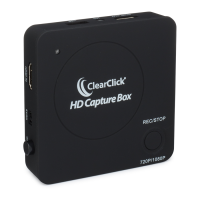
Do you have a question about the ClearClick HD Capture Box 720p and is the answer not in the manual?
General safety guidelines for operating the HD Capture Box device.
Explains the product's 1-year warranty and replacement policy.
Details HDCP encryption and its effect on signal detection and recording.
Lists specific low-cost HDMI splitters that disable HDCP for recording.
Steps to connect a USB drive, power on, and connect video sources.
Explanation of the meaning of the device's LED status lights.
Instructions for starting, stopping, and saving video recordings.
Procedure to move recorded video files from USB drive to PC or Mac.
Steps for installing and activating the included VideoPad video editing software.
Troubleshooting steps for lack of signal or corrupted recording files.
Details on recording format, resolution, and microphone audio levels.
 General
| Brand | ClearClick |
|---|---|
| Model | HD Capture Box 720p |
| Category | PCI Card |
| Language | English |

 To Next Page