7 www.clearone.com
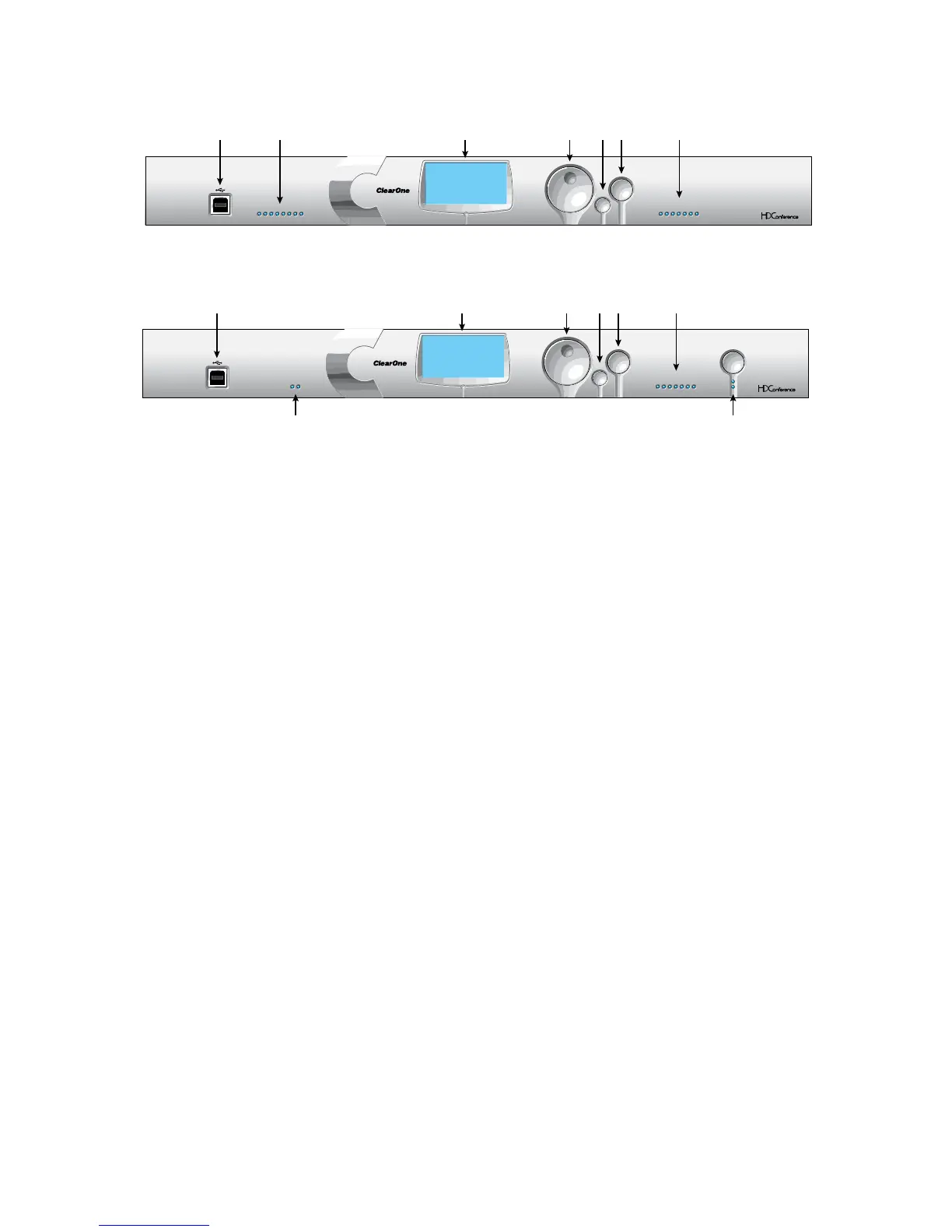
Converge Pro 8i Front Panel
Converge Pro TH20 Front Panel
Front Panel Control Descriptions
USB Type B PortA. : Provides convenient front panel connectivity for laptops and PCs.
Microphone-On LEDsB. : Indicate microphone gate status and mute state.
LCD DisplayC. : Shows model number, unit name, IP address, firmware version, menu pages, menu options,
configuration settings, and parameter values.
Menu DialD. : Navigates the LCD programming menu and enables you to modify basic configuration settings.
ESC ButtonE. : Returns you to the previous screen on the LCD display.
Select ButtonF. : Displays the LCD programming menu and selects the highlighted option.
LED Bar MeterG. : Displays the audio level of a selected input, output, processing, or fader channel. Default
meters: 880-Output 12, 880T-Output 12 , 840T-Output 8, 8i-Mic 1, TH20-Telco Tx, SR 1212-Output 12.
Telco Tx (transmit)/Telco Rx (receive) LEDsH. : Display transmit, receive, and mute status of the connected
telephone line. (840T, TH20)
Telco On/Off Button & LEDsI. : The button connects/disconnects the telephone line attached to the device ; the
LEDs indicate the connection status of the attached telephone line (840T, TH20).
SELECTMENU
ESC
TELCO ON / OFF
-30 -10 -4 0+4+8 +12
METER
TX RX
TELCO
CONVERGE PRO TH20
ClearOne
Converge TH20
2F: CONVERGETH20-3A
1.0.00
IPA: 192.168.1.3
ACDEFG
H I
SELECTMENU
ESC
-30 -10 -4 0+4+8 +12
METER
12345678
CONVERGE PRO 8i
ClearOne
Converge 8i
A6: CONVERGE8i-1C
1.0.00
IPA: 192.168.1.4
ACBDEF G









 To Next Page