76
RL
/
RL
or
RL
or
* Removing either earbuds from your ears during playback will
pause the playback.
ALLY PLUS II
USER MANUAL
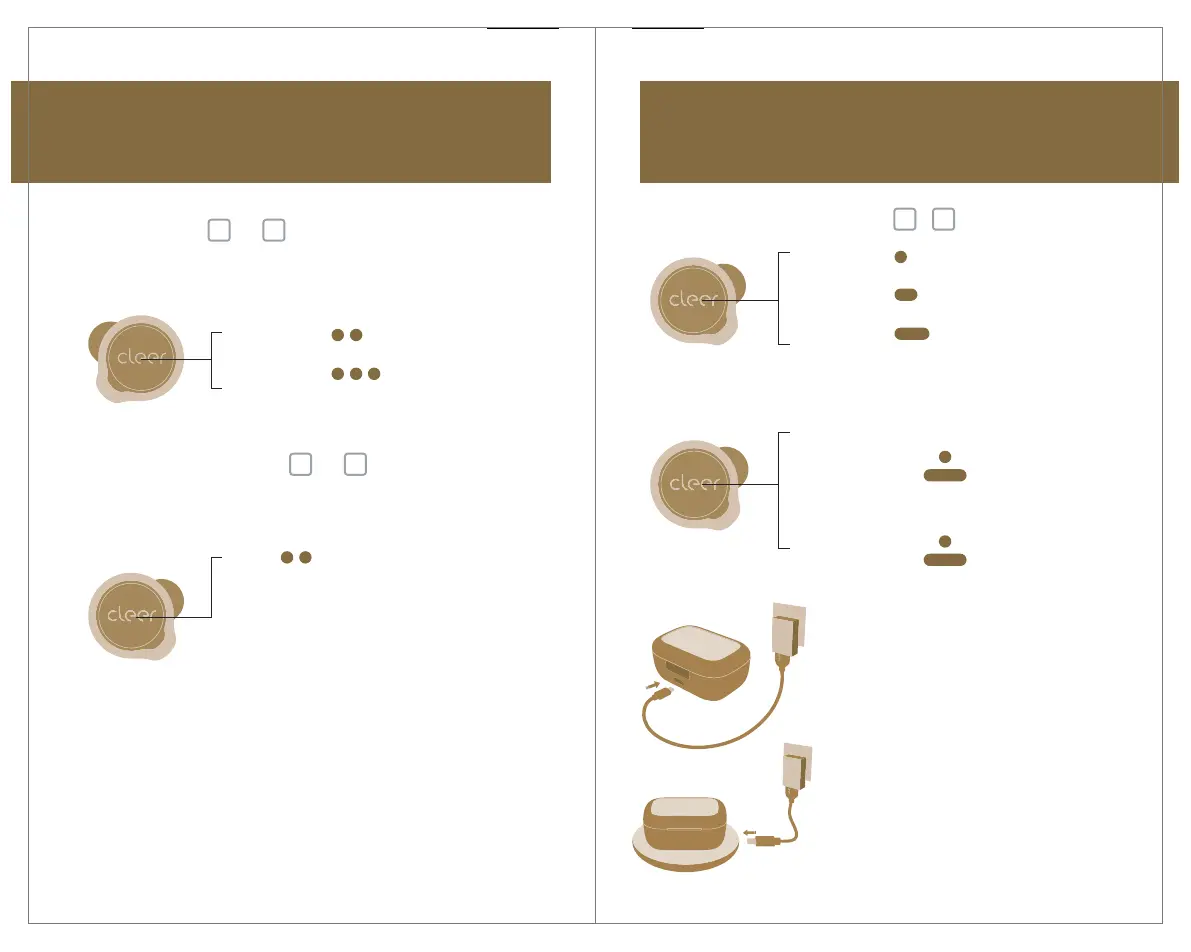
Ambient Noise Control
Press
twice
x2
Cycle thru Noise Cancellation
Mode and Ambient Mode
Press once
x1
Press and
hold 1s
Press and
hold 2s
Playback: Play / Pause
Call: Pick / Hang up call
Reject incoming call
Trigger default voice
assistant
ALLY PLUS II
USER MANUAL
Call and playback control
Noise Cancellation Mode: Our noise cancelling
technology and optimized passive isolation can
suppress wide-band ambient noise.
Ambient Mode: Allows you to hear sounds around
you even while wearing your ALLY PLUS II.
* ALLY PLUS II will go into Noise Cancellation Mode by
default when powered ON.
Volume control
* You can select which earbud to use this function on the Cleer+ app, it is set to the
left earbud by default.
* You can select which earbud to use this function on the Cleer+ app, it is set to the
right earbud by default.
Press twice
x2
Press thrice
x3
Next track
Previous track
Track control
Charging
Connect ALLY PLUS II to a power
source with the provided USB-C
cable or put the charging case on
a wireless charging pad.
5 minutes of charge time (with a
USB-C cable) equals 1 hour of
playtime.
Up to 20 hours (with ANC ON) or
22 hours (with ANC OFF) of
playtime when fully charged.
or
Volume up
continuously
Volume down
continuously
Double tap x2
hold on 2nd tap
Double tap x2
hold on 2nd tap
Right earbud
Left earbud


 To Next Page