Need help?
Do you have a question about the cleer ALLY and is the answer not in the manual?
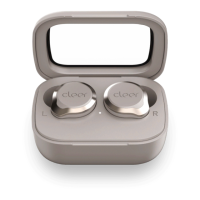
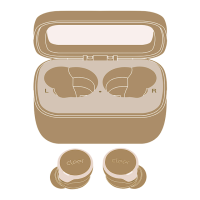
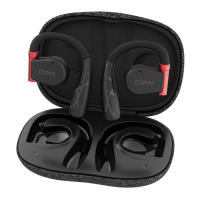
Details about the charging case and earbuds, including Micro USB input, touch pad, and battery indicator.
Information on different sizes of ear-tips and wing-tips for a proper fit.
Steps for connecting the earbuds to a Bluetooth device for the first time.
Instructions for manual pairing and notes on powering off and removing paired records.
Guide on how to insert the left earbud into the ear and twist to secure.
Details touch controls for music playback, calls, and voice assistant activation.
Explains automatic and manual Bluetooth pairing modes based on device status.
Describes LED status indications for earbuds (power, pairing, calls, battery, charging).
Details LED behavior for the charging case indicating battery levels.
Lists technical details like Bluetooth version, power, frequency, range, profiles, CODEC, battery, and driver unit.
Provides frequency response, water resistance rating, dimensions, and weight of the earbuds and case.
Outlines the product warranty against defects and exclusive remedies for the customer.
Details the duration and scope of labor and parts warranty coverage.
Explains what the warranty does not cover and the user's responsibility to back up data.
Provides instructions on how to obtain warranty service and what to expect after service.
Defines terms for repair/replacement warranty and lists exclusions like consumable parts and cosmetic damage.
Lists further exclusions for warranty coverage, including misuse, unauthorized service, and tampering.
States limitations on damages and duration of implied warranties according to applicable law.
Disclaims other warranties and conditions, stating the limited warranty is exclusive.
Covers general safety advice, including hearing damage, small parts, magnetic material, battery replacement, and temperature.
Provides precautions on battery temperature, driving with headphones, attention to surroundings, unusual noises, and water exposure.
Information on product recycling, proper disposal of electronics and batteries, and compliance with EU directives.
Details compliance with FCC Part 15 rules, including conditions for operation and non-interference.
Explains FCC radiation exposure requirements and portable exposure conditions without RF restriction.
 General
| Driver Size | 10 mm |
|---|---|
| Frequency Response | 20 Hz - 20 kHz |
| Bluetooth Version | 5.0 |
| Charging Time | 2 hours |
| Water Resistance | IPX5 |
| Charging Time with Case | 3 hours |
| Microphone | Yes |
| Playtime with Charging Case | 30 hours |
| Codecs | SBC, AAC |
| Battery Life | Up to 10 hours |

 To Next Page