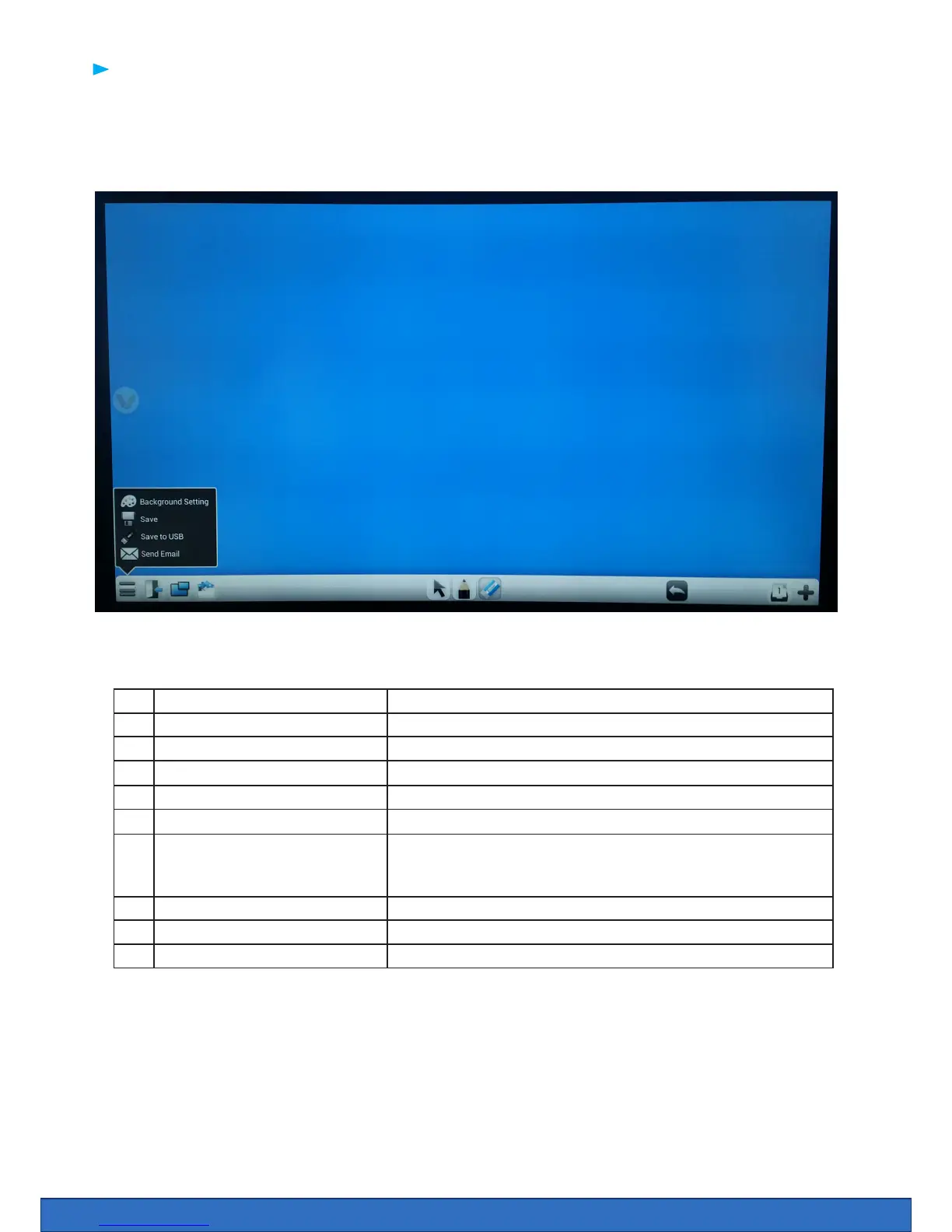
Clevernote is a simple annotation app that enables users to quickly annotate, doodle or brainstorm.
All Clevernote documents are saved in a PNG or JPEG form and can be emailed from the app.
1 Menu Save, change background colour, send an email.
2 Exit Exit Clevernote
3 PIP (Picture in Picture) Add PIP
4 Import Image Import an image from USB or Internal drive
5 Select tool Selection tool
6 Pen Tools Select pen thickness and colour
7 Eraser Erase content - the at of the hand will automatically bring an
erase option which allows the hand to erase any annotations on
the screen
8 Undo / Redo Undo or Redo action
9 Pages View and select pages
10 Create a page Add a new page
1 2 3 4 5 6
7
8
9 10
Clevernote


 To Next Page