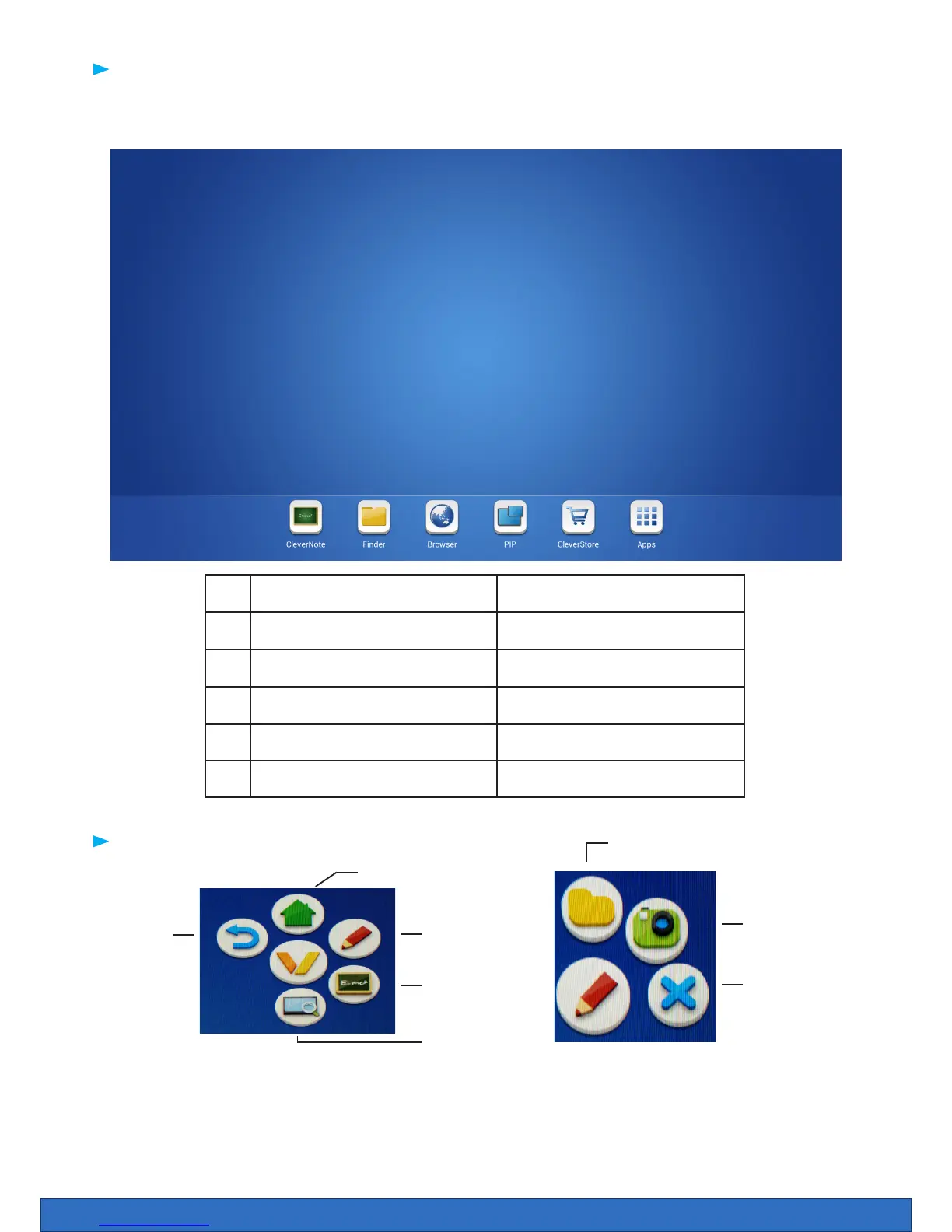
Your screen can be used without a computer. When you start the screen the Android interface is
automatically launched.
1. Clevernote On Screen annotation
2. Finder Filing system for screen
3. Browser Web browser
4. PIP Picture in picture
5. Cleverstore App store
6. Apps All installed apps.
1 2 3 4 5 6
The Android Interface
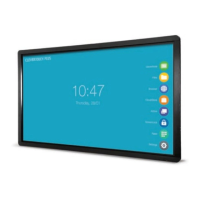
Tip: Place two ngers 2-3 cm apart on the screen and hold it for about two seconds to make the widget
move to that location. When you save your notes / take screenshots, they are saved in the Clever Finder
as an image.
The Widget
Screenshot
Close
Finder
Clevernote
Tools Back
Homescreen
Zoom


 To Next Page