1 - 14 Control Center
Quick Start Guide
1
Control Center
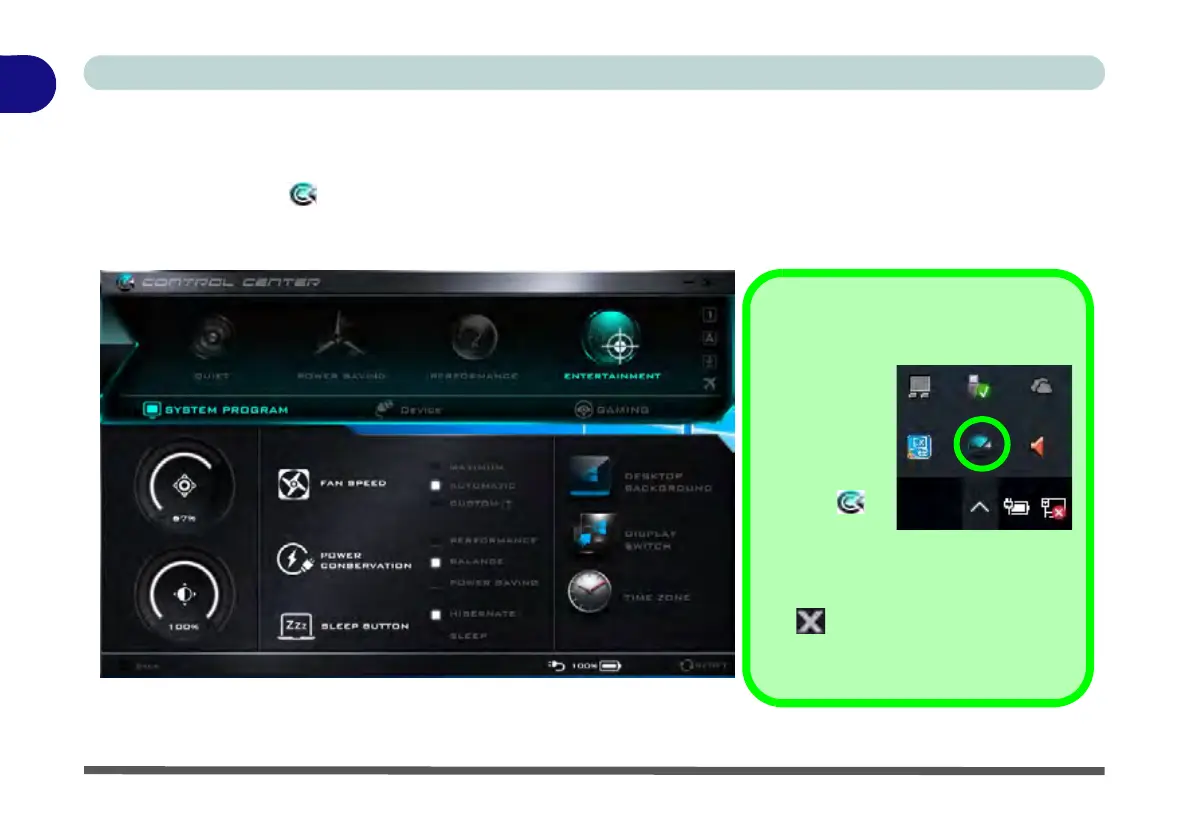
When in the Windows Desktop application (not in the Start screen) press the Fn + Esc key combination, or
double-click the icon
in the notification area of the taskbar to toggle the Control Center on/off. The Con-
trol Center gives quick access to frequently used controls and enables you to quickly turn the camera/Touch
Pad on/off (see Appendix B for full details).
Figure 1 - 8 - Control Center
Control Center Access
To run the
Control Center
press the Fn +
Esc key com-
bination, or
double-click
the icon in
the notifica-
tion area of the
taskbar.
Close the Control Center by clicking
the close icon in the top right of the
panel (move the cursor onto the top
right corner of the panel to highlight it).


 To Next Page