1 - 16 Keyboard Backlight LED
Quick Start Guide
1
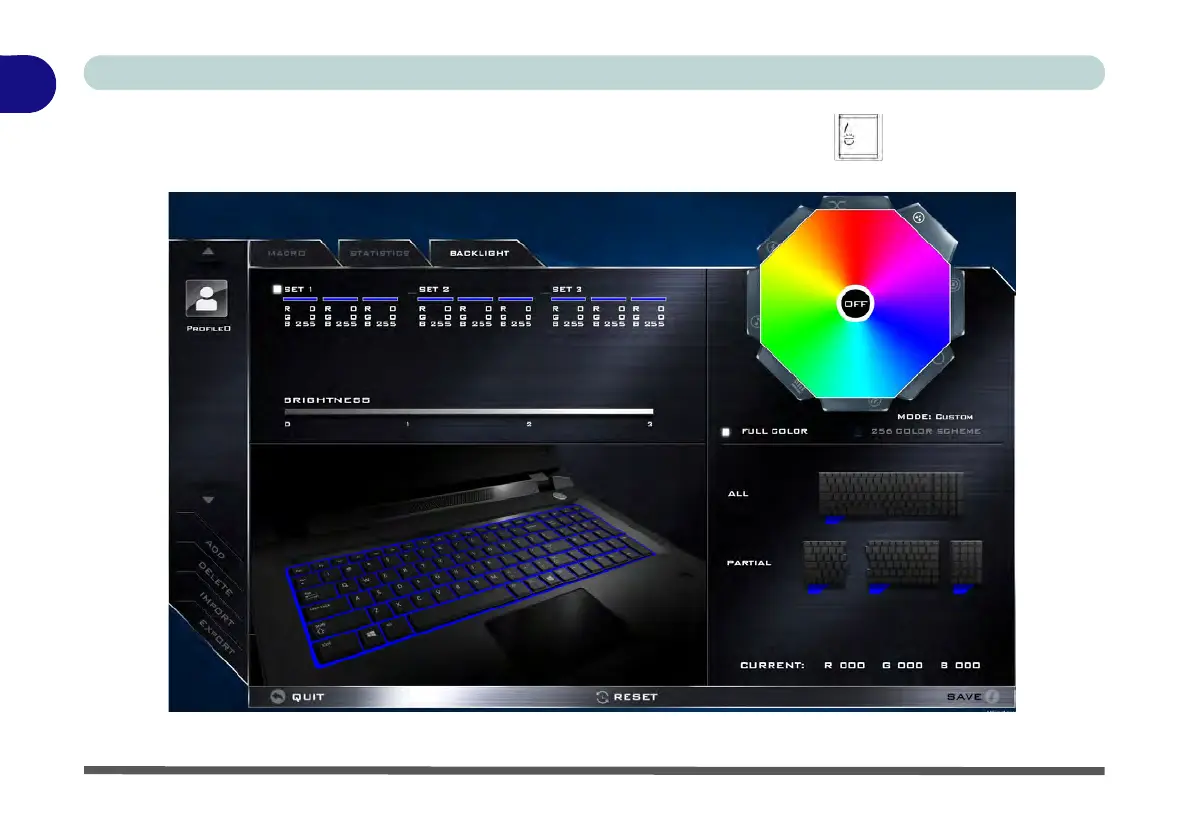
Keyboard Backlight Application (for Illuminated Colored Keyboards)
The Keyboard Backlight application can be accessed by pressing the Fn plus key (or by clicking the
Flexikey button in the Gaming section of the Control Center, and then clicking the Backlight tab).
Figure 1 - 9 - Keyboard Backlight Application
Help Butt
Keyboard Sections
Color Swatches
Effects Buttons


 To Next Page