3G/4G Module USIM Card Installation (for Models A & B) 1 - 31
Quick Start Guide
1
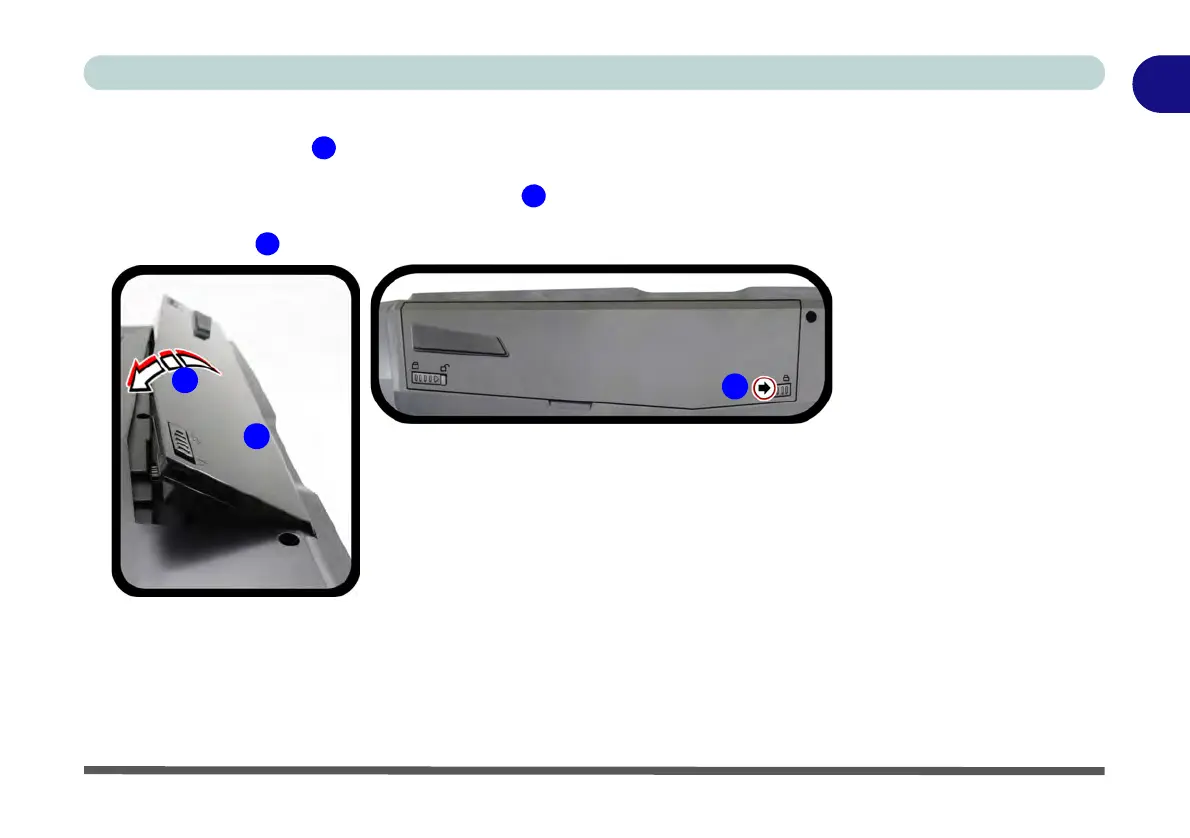
Battery Insertion
1. Orientate the battery as illustrated below and align it with the edges of the bat-
tery compartment.
2. Push the battery in the direction of the arrow
to insert it into the compartment (it
should click into place).
3. Slide the latch in the direction of the arrow into the lock position.
Figure 1 - 21
Battery Insertion


 To Next Page