1. Attach your display to the appropriate port, and turn it on.
2. Press the + P key combination.
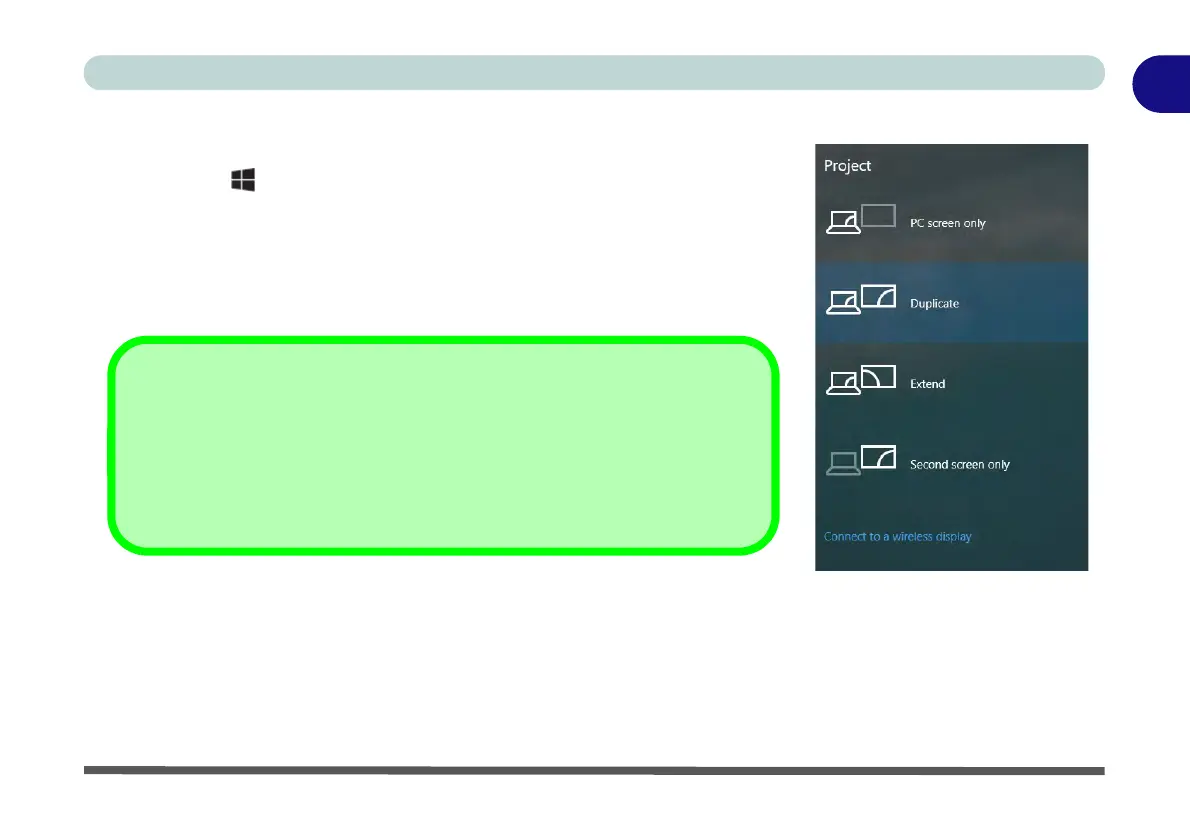
3. Click on any one of the options from the menu to select PC screen only,
Duplicate, Extend or Second screen only.
4. You can also click Connect to a wireless display at the bottom of the
Project screen and follow the steps to connect to any wireless enabled
display.
Intel or NVIDIA Video Driver Controls
More detailed video controls are provided by the Intel/NVIDIA Control Panel
(for more detailed information see Appendix C).
You can also access the control panel by right-clicking the desktop and select-
ing Intel(R) Graphics Properties/NVIDIA Control Panel.


 To Next Page