Need help?
Do you have a question about the Cleyver HW25 and is the answer not in the manual?
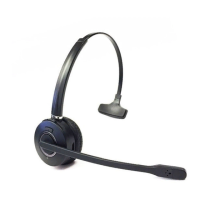
Overview of the wireless headset's physical parts, controls, and their respective functions.
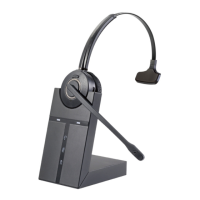
Overview of the wireless headset base's physical parts, ports, and status indicators.
Step-by-step guide for connecting the headset base to various desk phone configurations.
Instructions for connecting the power adapter to the base and the power source.
Procedure for placing the headset on the base for charging and establishing a connection.
Guide to fine-tuning microphone and receiver volumes for optimal call clarity.
Procedures for making, answering, and ending calls with the headset.
Steps for unpairing and re-establishing the wireless connection between headset and base.
Guide on setting up and participating in conference calls with multiple headsets.
Details on headset operating environment, call control, audio indicators, sound quality, battery type, capacity, and talk time.
Specifications for the base unit, including physical dimensions, wireless standard, and connection types.
Environmental guidelines for the proper disposal and recycling of the headset and its battery.
 General
| Wearing style | Headband |
|---|---|
| Connectivity technology | Bluetooth |
| Wireless range | 10 meters |
| Microphone type | Boom |
| Charging time | 2 hours |

 To Next Page