10
NOTE
When the ambient relative humidity is 5%
higher than the selected relative humidity ratio
percentage (RH%), the unit will switch on and
unit will operate at the selected setting.
NOTE
The unit will continuously run, regardless of
the ambient relative humidity, when
continuous dehumidification mode is set.
6. To set fan speed, press MODE button until
LCD display lights
up on the fan icon . Press SETTING
button to select between high (H) and low
(L) fan speed, and then press MODE to set
selection, or three seconds after pressing
SETTING the fan speed is set. When fan
speed is set the fan icon will rotate.
NOTE
When the temperature sensor detects the
ambient humidity is lower than selected
setting, fan will work at a low (L) speed.
NOTE
When the temperature sensor detects the
ambient room temperature to be higher or
equal to 32°C, the unit fan speed will
automatically switch to operate at high (H).
7. To set continuous dehumidification, press
MODE button until LCD displays the
continuous dehumidification icon and
then press SETTING to set continuous
dehumidification mode.
8. To select ON/OFF timer.
To set automatic OFF timer, press TIMER
button when unit is powered ON; select the
desired running time, 1 to 24 hours.
Unit will automatically switch OFF once
selected OFF time duration has lapsed.
The screen will display time elapsed and
remaining running time.
To set automatic ON timer, press TIMER
button when unit is powered OFF or on
standby mode, select the desired time for
unit to start operating in 1 to 24 hours.
Timer symbol will be displayed on screen,
and unit will automatically switch on when
time is reached.
NOTE
Memory function will not work on Timing
shutdown.
9. When unit is powered ON, press SWING to
oscillate dry air outlet deflector panel from
50 to 95 degree angle automatically, LCD
will display swing icon . Press SWING
again to fix stationary angle, swing icon will
disappear.
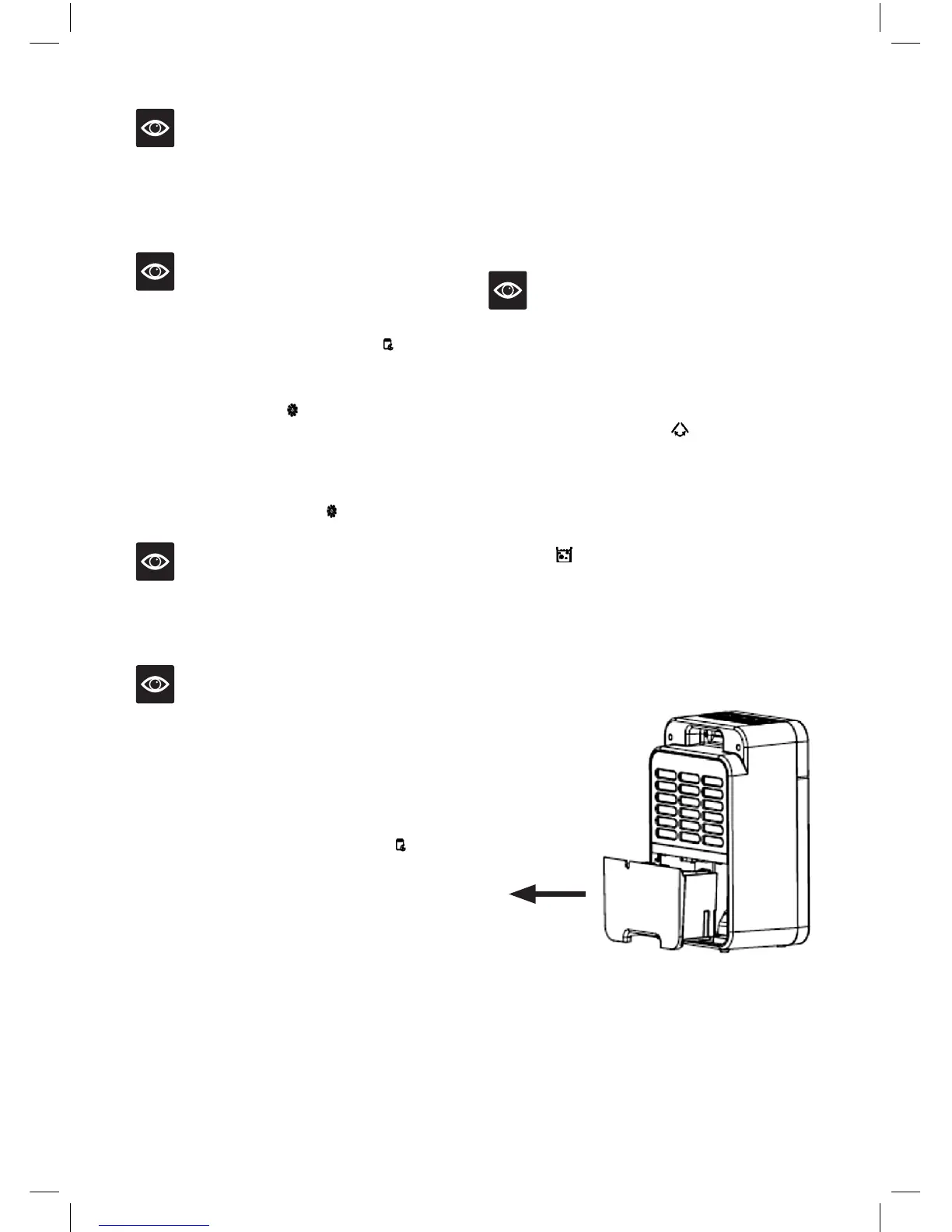
10. As unit operates, condensed water will drain
into water reservoir. When water reservoir
is full unit will beep 10 times and WATER
FULL indicator light will illuminate and
all other indicator lights will turn orange.
Unit will automatically stop operating.
The water reservoir must be removed and
emptied before unit will operate again.
Remove water
reservoir in
accordance with
arrow direction


 To Next Page