
 Need help?
Do you have a question about the Clifford 4806X and is the answer not in the manual?
Covers governmental rules and safety precautions for system operation.
Details the warranty coverage and proof of purchase requirements.
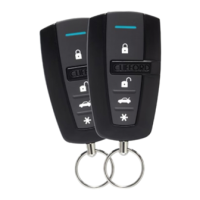
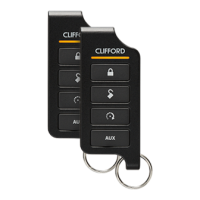
Information on how to order additional or replacement remote controls.
Explains the conventions and terminology used throughout the manual.
Describes how to activate system features using command buttons.
Details the process for executing basic and advanced commands.
Explains tones that alert users to fault conditions preventing command activation.
Instructions for locking the vehicle doors.
Instructions for unlocking the vehicle doors.
Activates or deactivates the vehicle's remote starter.
Locks the doors without audible horn confirmation.
Unlocks the doors without audible horn confirmation.
Resets the remote start runtime counter when the engine is running.
Activates or deactivates the auxiliary output 1.
Enters or exits Valet Mode for system deactivation.
Activates or deactivates the timer-based engine start feature.
Activates or deactivates the auxiliary output 2.
Displays the system's lock status via LEDs, beeps, and tones.
Locates the vehicle using horn and parking light signals.
Automatically starts the engine based on temperature and battery level.
Activates or deactivates the auxiliary output 3.
Requests and displays the remaining remote start runtime.
Activates the vehicle's defogger circuit while remote start is active.
Activates or deactivates the auxiliary output 4.
Instructions for entering and exiting the remote programming menu.
Procedure for pairing the remote control with the vehicle system.
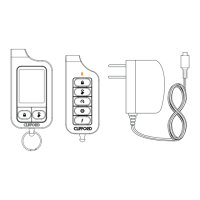
Details features specific to the Responder LE remote control model.
Describes features and settings applicable to the 1-way remote.
Configuration options for locking and unlocking remote buttons.
Explains the automatic unlocking of keypad buttons after ignition off.
Settings for remote message monitoring and battery saving modes.
Enables the remote control to operate a second vehicle.
Configures audible confirmation beeps for remote operations.
Allows the engine to remain running while transferring control to the key.
Ensures doors remain locked while the engine is running remotely.
Procedure for disabling the remote start system using a toggle switch.
Features like Timer Start and Smart Start for automatic engine activation.
Automated locking of vehicle doors after exiting.
Automatic re-locking of doors after an unlock command.
Temporarily bypasses passive locking for a single cycle.
Enables control of multiple vehicles with a single remote.
Configures system to recognize specific remotes for user preferences.
Automatically closes windows and sunroofs with OEM convenience.
Emulates OEM driver priority unlocking for enhanced security.
Outputs to activate various vehicle convenience features.
Indicates when the remote control battery level is critically low.
Describes the alerts generated for low battery conditions.
Provides suggestions to maximize remote control battery longevity.
Step-by-step guide for replacing batteries in the 2-way remote.
Instructions for replacing batteries in the 1-way remote.
Definitions of technical terms used in the manual.
Emphasizes professional installation by an authorized dealer.
Safety precautions for operating the remote start system.
Specific procedures and safety for manual transmission vehicles.
 General
| System Type | 2-Way |
|---|---|
| Number of Buttons | 5 |
| Remote Start | Yes |
| Keyless Entry | Yes |
| Range | Up to 1 mile |
| LCD Display | Yes |
| Starter Kill | Yes |
| Shock Sensor | Yes |
| Door Trigger | Yes |
| Hood Trigger | Yes |
| Trunk Trigger | Yes |
| Ignition Trigger | Yes |
| Valet Mode | Yes |
| Panic Mode | Yes |
| Remote Start Ready | Yes |
| Battery Backup | No |
| Warranty | Limited Lifetime Warranty |
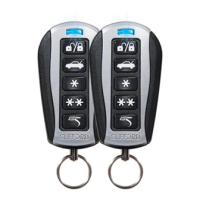
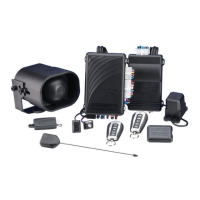
| Remote Control | Yes, 2 remote controls |


 To Next Page