EasyManua.ls Logo

Climote HUB - Commissioning Climote HUB; Zone Setup Navigation; Zone and Thermostat Configuration; Choosing Installation Location

Climote HUB
16 pages
Print Icon
To Next Page IconTo Next Page
To Previous Page IconTo Previous Page
Loading...
12
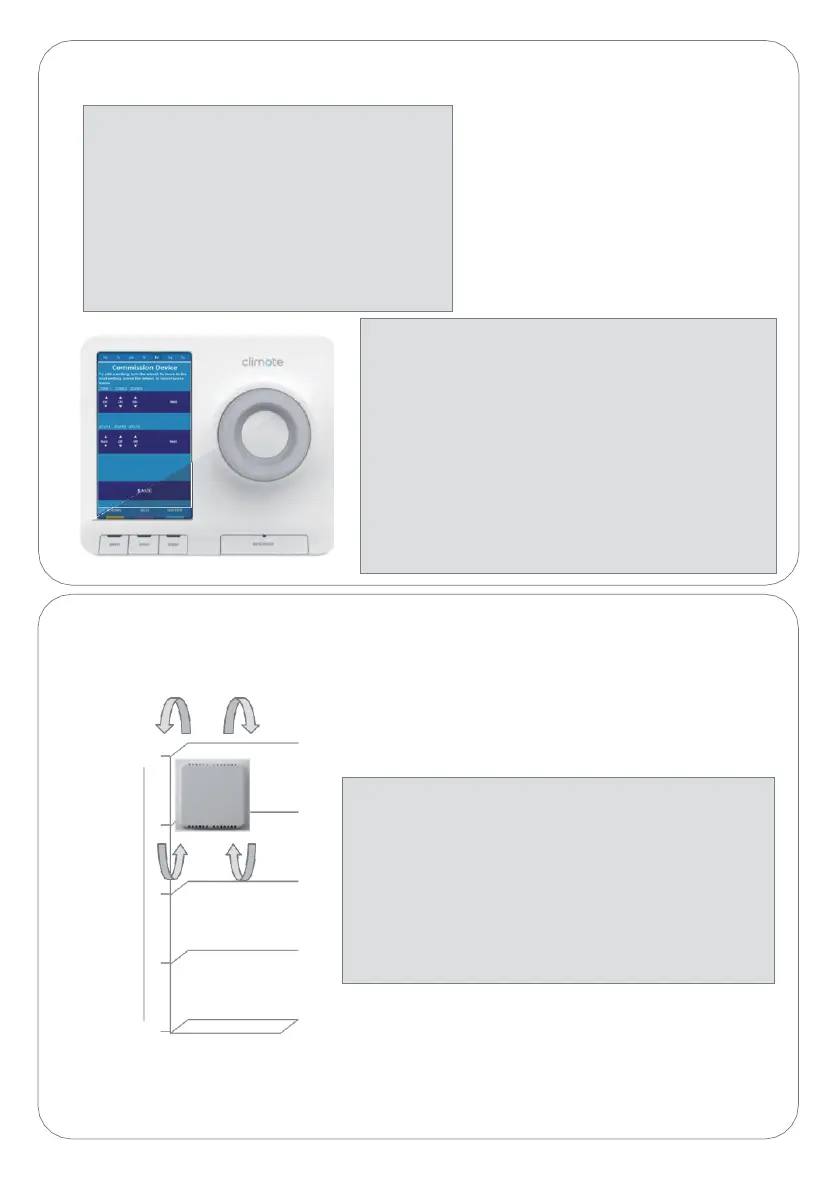
Choose location (T3)
2
M
e
t
r
e
s
1.5
1
0.5
0
Location
1. Approx 1.5 metres above floor height.
2. Ensure free air flow through housing.
3. Mount away from:
a. Draughts.
b. Direct sunlight.
c. Heat sources, eg Radiators, chimneys
etc.
Commission climote HUB (T2)
1. Navigate to Zone Setup
Using the Menu/Back button and Scroll
Wheel, select :
1. Menu.
2. Settings.
3. Installer Settings.
4. Commission Device.
5. Zone Setup.
2. Set up Zones and Thermostats
Select :
1. Active zones On or Off (see Setup (T5))
Turn scroll wheel to change, push to
select, select “Next”.
2. Thermostat Settings (see Setup (T5))
Turn scroll wheel to change, push to select
“Next”.
3. Select Save this communicates the
settings to climote ONLINE.