20
8 - CONTROL
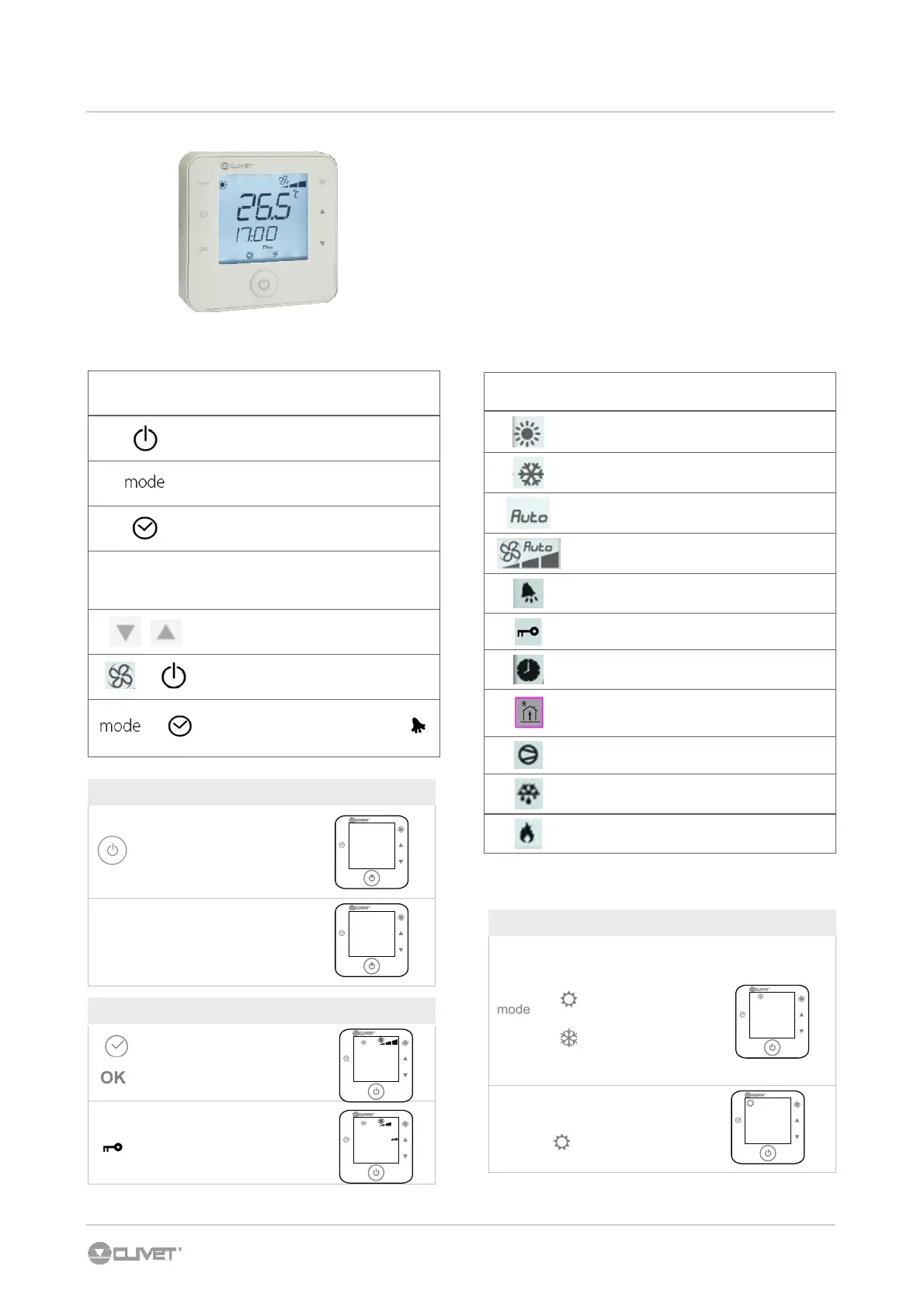
SETPOINT
the display visualizes the ambient temperature
1. Press once ▲ or ▼ to display the setpoint ( it appears on the
display
set
)
2. press ▲▼ to modify the working setpoint
3. Wait that the ambient temperature appears again on the
display ( disappears
set
)
ON-OFF
Press 5 seconds to access or
switch off the unit.
MODE
Change the operating mode :
summer, winter, automatic
CLOCK
Date and hour control
OK
OK
Confirm, display setpoint,
display the outside
temperature ( tE )
UP-DOWN
Shift in the menu, increase-
decrease the value
+
5 sec
Access to the password menu
( Code)
+
5 sec
Access to the alarm menu ;
only if the icon is present
KEY FUNCTION
DISPLAY MEANING
Operating mode : summer
Operating mode : winter
Operating mode : automatic
supply fan speed
alarm
Keyboard locked
Time band activated
Time band scheduling
Active compressor
Defrosting in progress
electric heaters , hot water coil - option
Press to set the operating
mode:
Cooling
Heating
AUTO Automatic
Operating in:
Cooling
ON / OFF
Press for 5 seconds
OFF
OFF
mode
OK
10:00
Mon
MODE CHANGE
20.3
°c
mode
OK
10:00
Mon
20.3
°c
mode
OK
10:00
Mon
20.3
°c
mode
OK
10:00
Mon
BUTTON LOCK / UNLOCK
Press together for 5 seconds
Symbol appears
22.5
°c
mode
OK
10:00
Mon
20.3
°c
mode
OK
10:00
Mon



 To Next Page