Cloud drive intelligent technology Co.,Ltd
Jim@clouddrive.tech Jim:(+86)18221324155
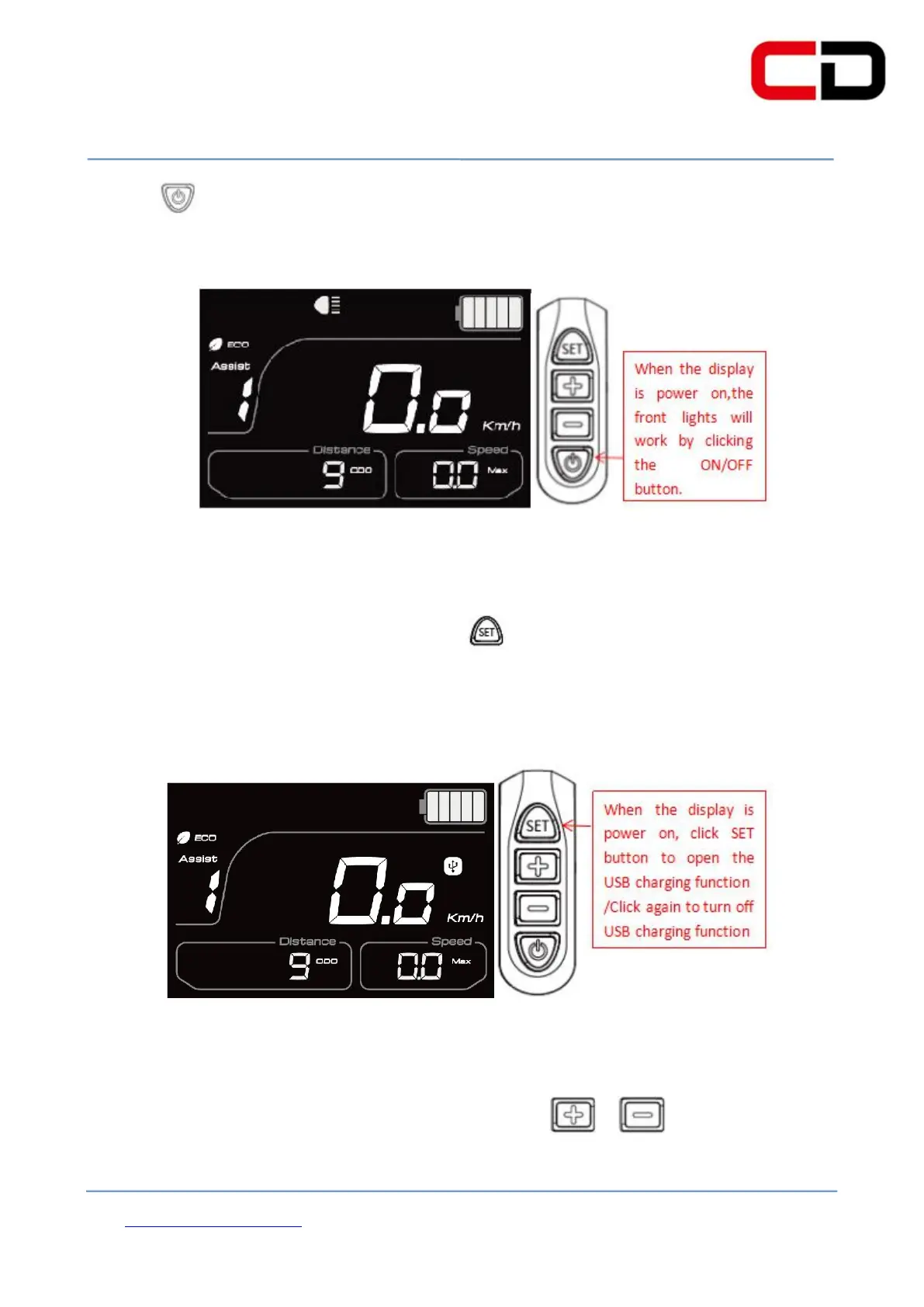
clicking button again, the front lights are closed. The operation process is shown
in figure 6-2: (the lights are on)
(3)Opening/closing of USB charging function
When the display is power on, click button to set up the USB charging
function. Then clicking it again, the USB charging function is closed. The operation
process is shown in figure 6-3: (The USB charging function is open)
When the display is power on, you can click or button to adjust the
PAS level which will
change the output power of the motor. The PAS level is


 To Next Page