PCI dictates that PIN-entry devices need to detect if they have been tampered, and if so, lock
the ability to take PIN-entry transactions. This can happen for a number of reasons, such as
having a credit card skimmer applied to the device or someone attempting to break the device
open. This can also happen if the device is dropped hard enough.
What error message will I see if my device has been tampered?
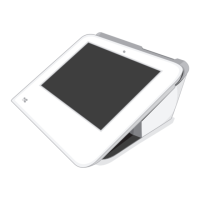
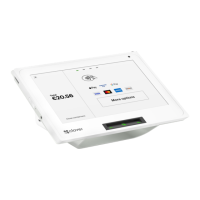
There are three potential screens that you may see if your Clover Mobile or Clover Mini device
detects a tamper:
1. In the Setup Wizard, you may be automatically directed to the Get Help screen with the
error “Device tampered, return to manufacturer”
2. In the Setup Wizard, in a rare case you may also see a “Tamper Detected” screen
3. If the device detects a tamper after you have activated your device, it will display the
following error in the Sale, Refund, Voice Auth, Phone Sale, Authorizations, and
other apps: “TRANSACTION FAILED: DEVICE TAMPER DETECTED PLEASE
RETURN THIS UNIT”
What does it mean if my device has been tampered?
Clover devices come with sensors that are used to detect tampering, misuse, or harm of your
device. Our Clover devices will disable PIN entry acceptance for your and your customers’
security when our devices detect a tamper. You will still be able to accept transactions that do
not require PIN entry and use your device for everything else you currently use to run your
business.
NOTE
In unlikely cases, shaking and dropping may cause the sensors to detect a tamper.
How do I get a replacement device?
If a tamper message is displayed, you will receive an email from Clover that a tamper has
been detected. If you would like to accept PIN transactions, including EBT, we will be happy to
send you a replacement device. To request a new replacement device, have an admin or
manager go to Setup > Payments > PIN Entry on your current device or call Customer


 To Next Page